
Sales Analytics
Turn on Sales Analytics in Settings → Features if you cannot see it (on for a new shop).
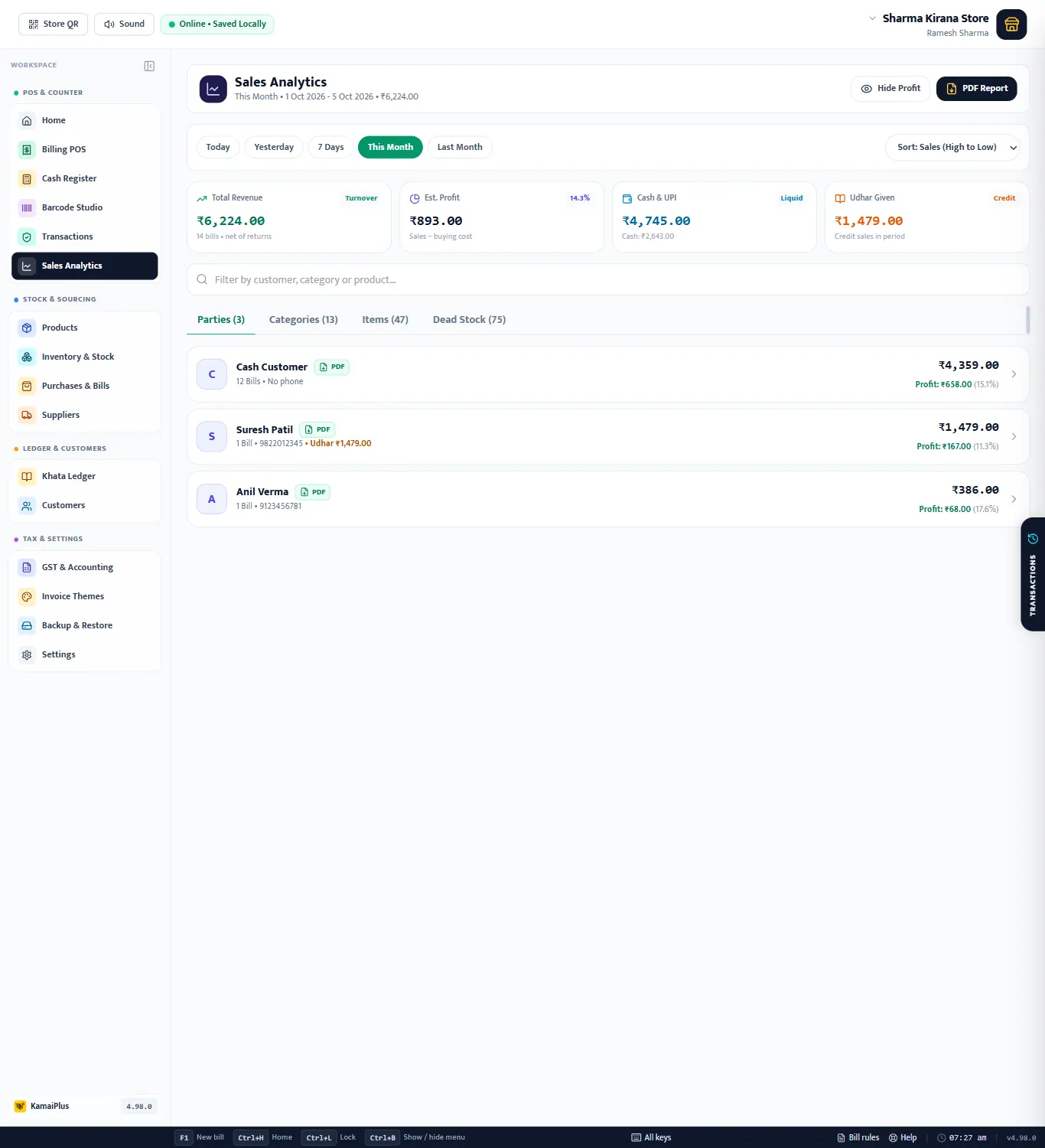
- 1Period: Today, Yesterday, 7 Days, This Month, Last Month.
- 2Sort: by sales, profit and more.
- 3Total Revenue (net of returns), Est. Profit (sales − buying cost), Cash & UPI, Udhar Given.
- 4Filter by customer, category or product.
- 5Tabs: Parties, Categories, Items, Dead Stock.
- 6Hide Profit before turning the screen to a customer or staff.
- 7PDF Report of what is shown.
Profit needs cost prices. Est. Profit uses each item's purchase / cost price. Items without one count as full profit, so keep cost prices filled (Excel import or purchases do it for you).
Parties, categories, items, dead stock
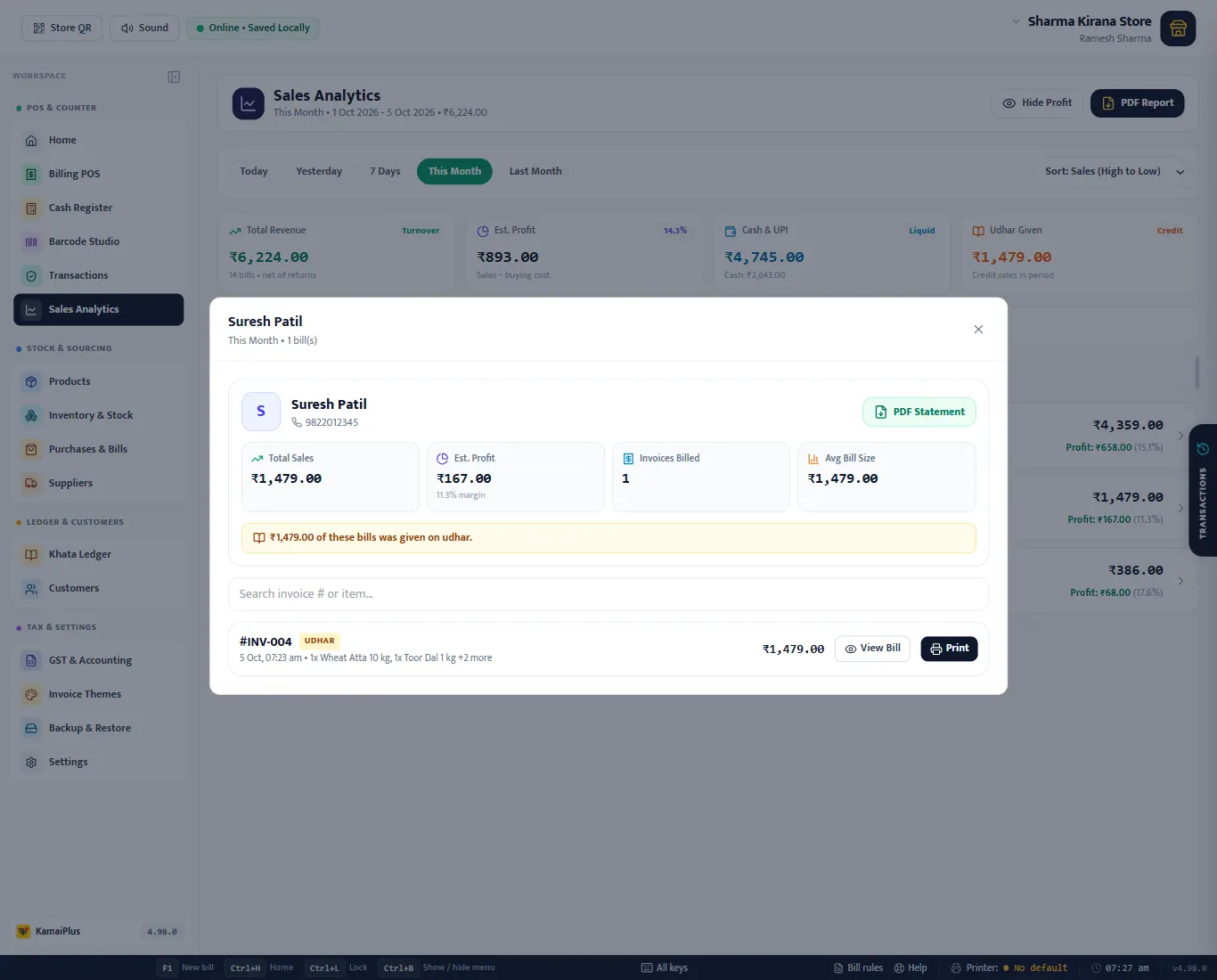
- Parties: each customer with sales, profit and margin; walk-in bills are under Cash Customer. Click one for their bills, average bill, udhar and a PDF Statement.
- Categories: which sections of the shop earn the most.
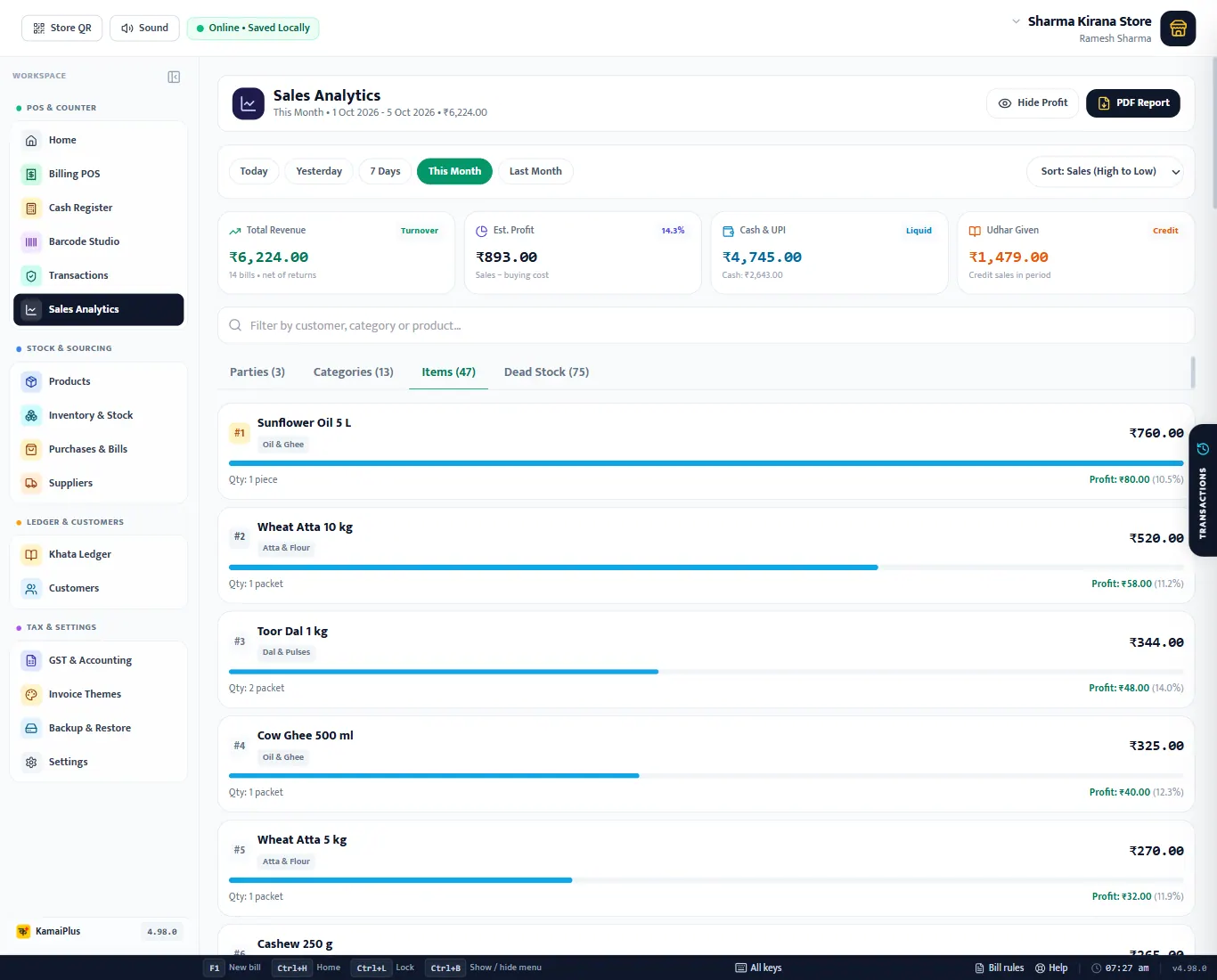
- Items: every item sold in the period with quantity, sales and profit.
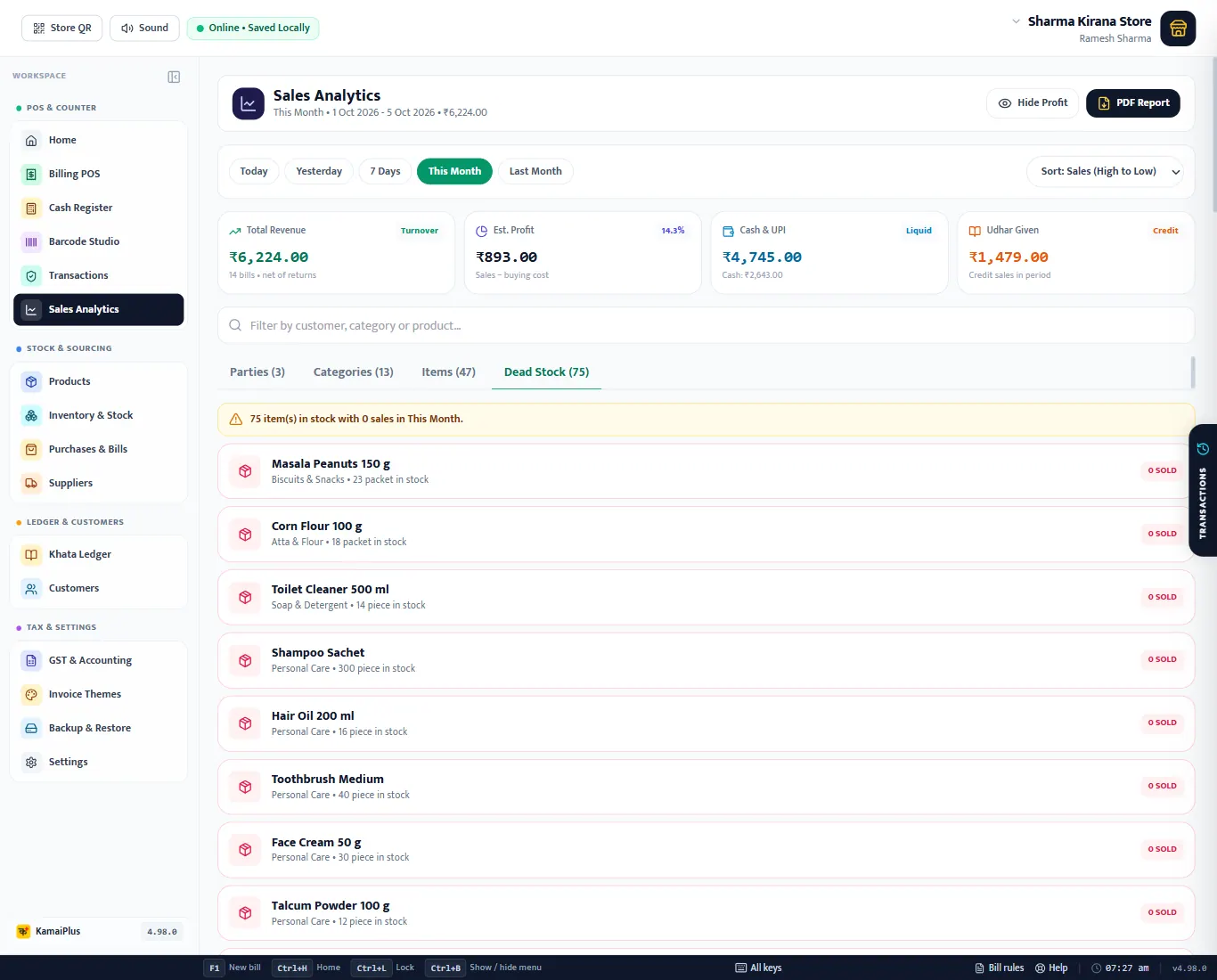
- Dead Stock: items that did not sell in the period, to stop reordering them or put them on offer.
GST Reports
Turn on GST Reports & CA Tax Filing in Settings → Features. The shop's GSTIN must be in the store profile, and items need their HSN and GST rate.
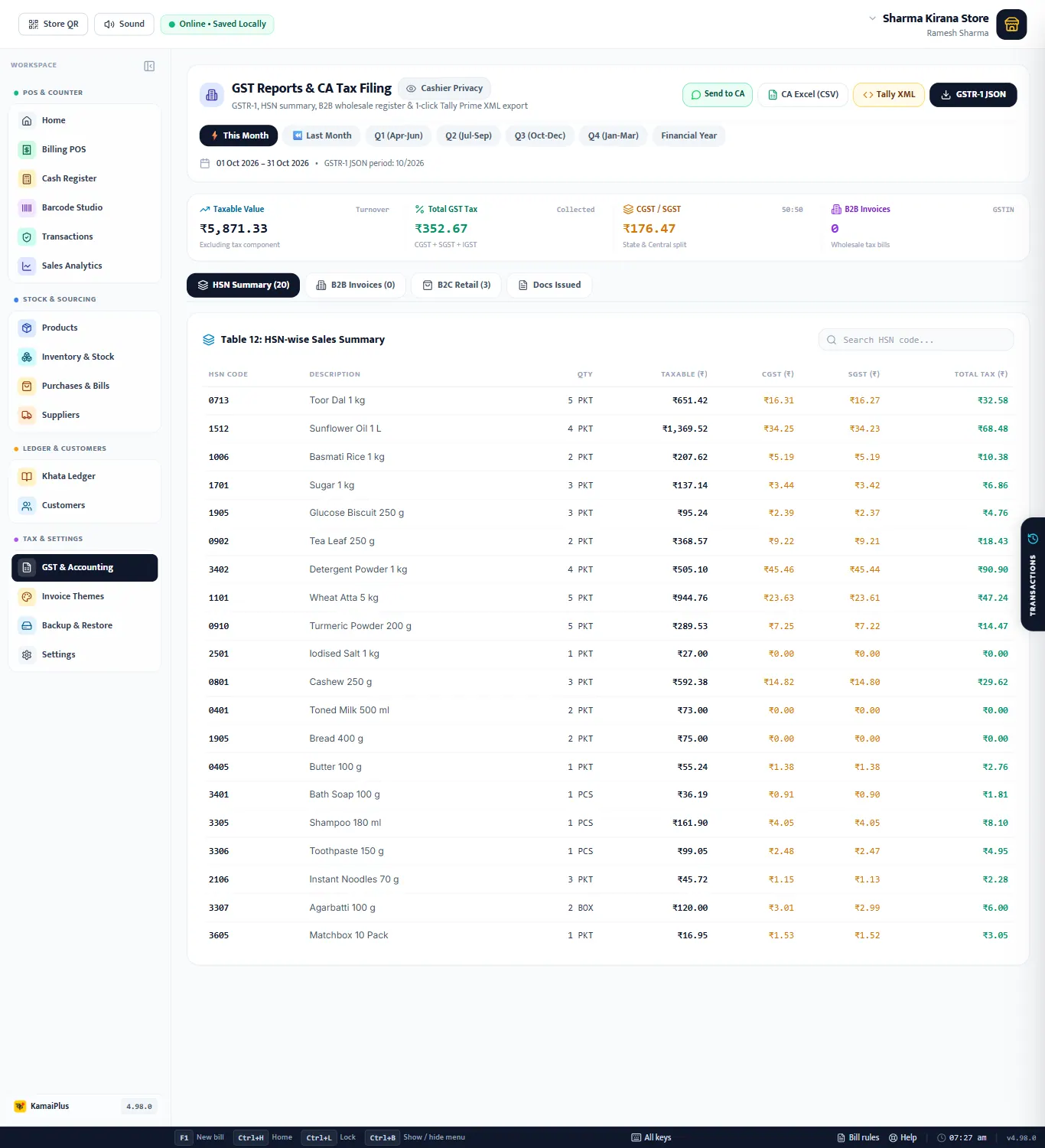
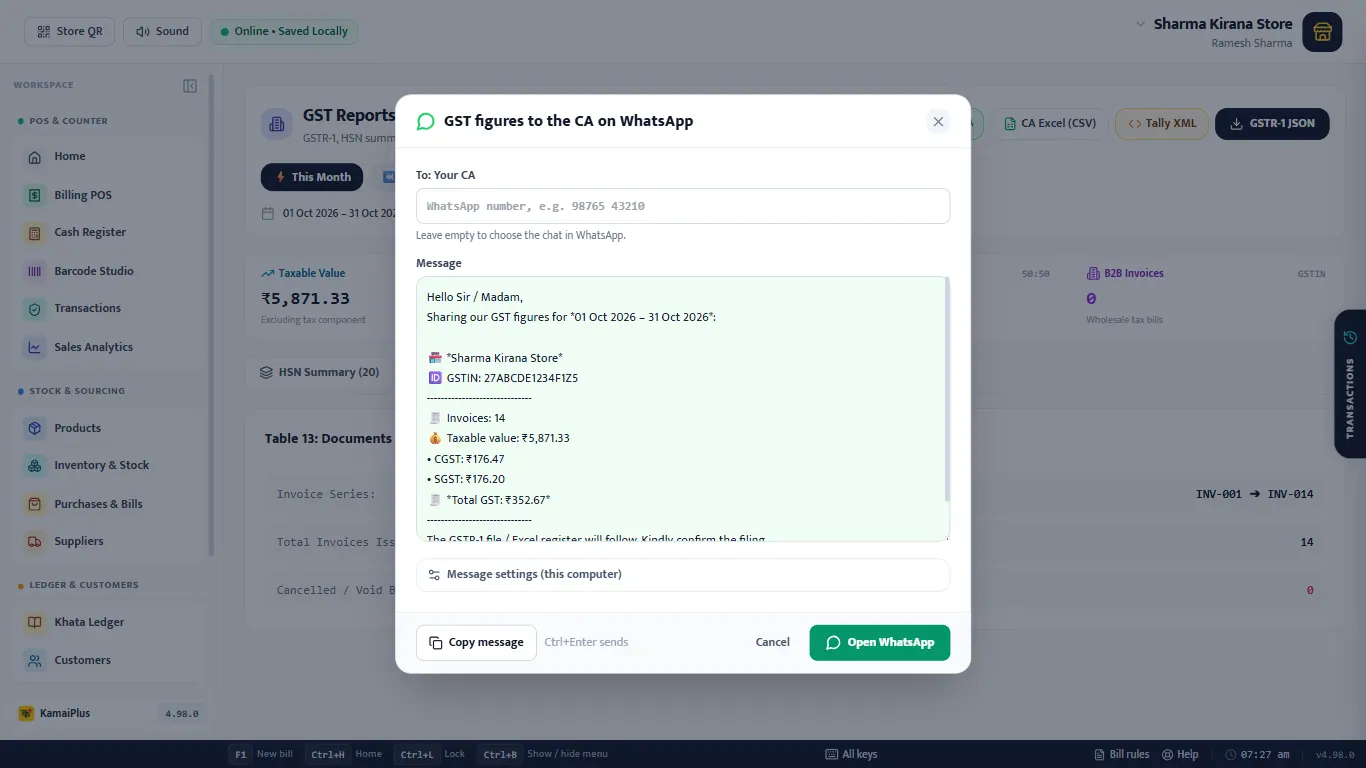
- 1Send to CA: the month's GST figures on WhatsApp.
- 2CA Excel (CSV).
- 3Tally XML.
- 4GSTR-1 JSON.
- 5Period: This Month, Last Month, the four quarters, the financial year. The GSTR-1 period is shown under it.
- 6Taxable Value, Total GST, CGST / SGST and B2B Invoices.
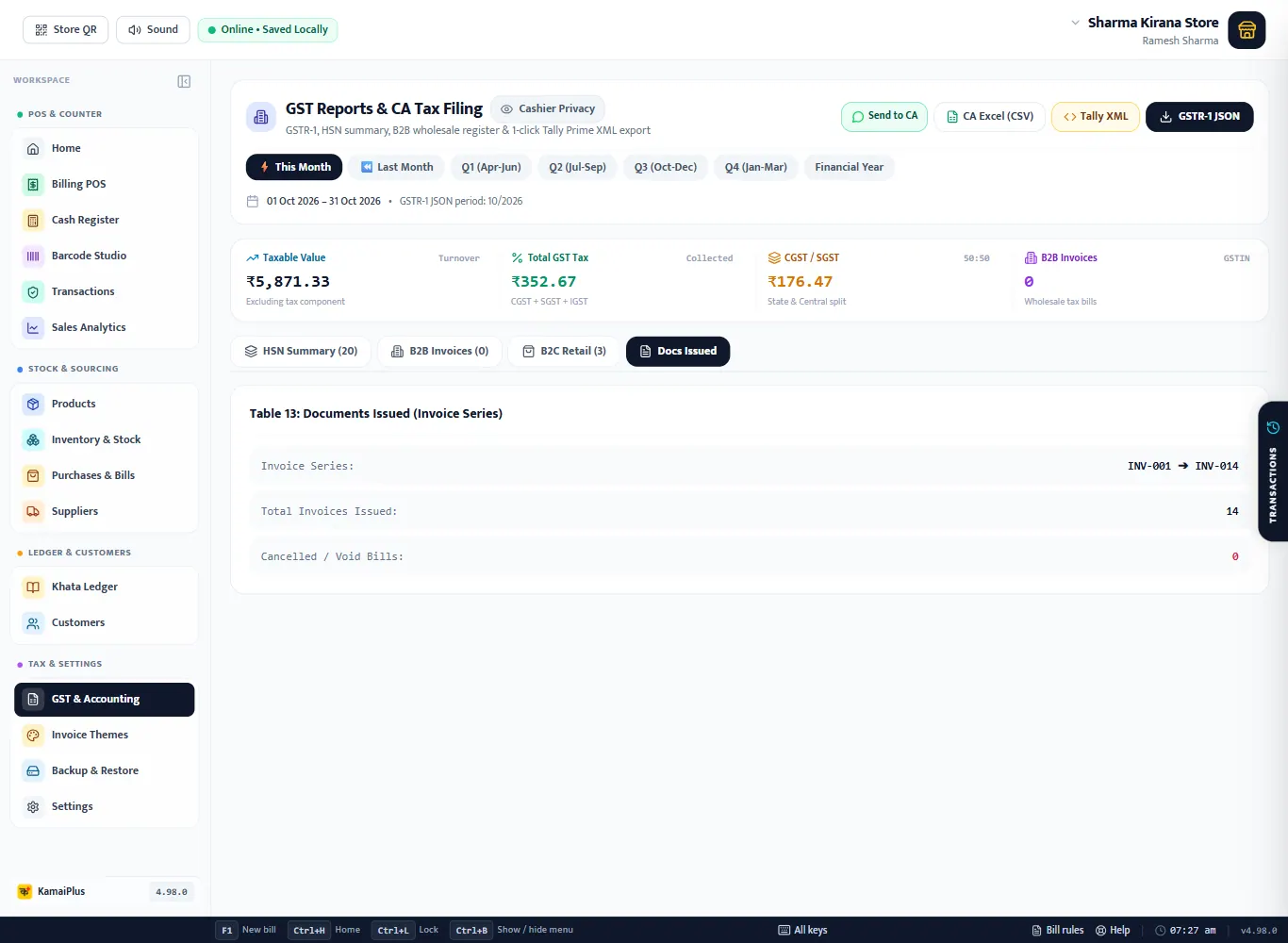
- 7Tabs: HSN Summary, B2B Invoices, B2C Retail, Docs Issued.
- 8Table 12: HSN-wise Sales Summary: HSN, description, quantity, taxable value, CGST, SGST and total tax. The same HSN appears twice when it is sold at two rates (e.g. 1905 for biscuits at 5% and bread at 0%).
| Tab | What it lists | GSTR-1 table |
|---|---|---|
| HSN Summary | Sales per HSN code and rate | Table 12 |
| B2B Invoices | Bills to customers with a GSTIN | Table 4 |
| B2C Retail | Sales to customers without a GSTIN, per state and rate | Table 7 |
| Docs Issued | The invoice series, how many issued, cancelled | Table 13 |
Files for the CA
- GSTR-1 JSON: the file in the format the GST portal's offline tool reads. Give it to your CA or upload it after checking.
- CA Excel (CSV): every bill line with GST, for the CA's own software.
- Tally XML: the period's sales as vouchers to import into Tally Prime.
- Send to CA: a WhatsApp message with the GSTIN, period, number of invoices, taxable value, CGST, SGST and total GST.
Check before filing. The app prepares the figures from your bills; your CA should check them before you file. Credit notes from sales returns are not yet in the GSTR-1 JSON as separate entries: a return lowers the period's figures instead. Tell your CA about returns.
What is not in the app yet
GSTR-3B, e-invoice (IRN) and e-way bills are not in KamaiPlus today. See KamaiPlus at a glance for the full list.