The Khata Ledger
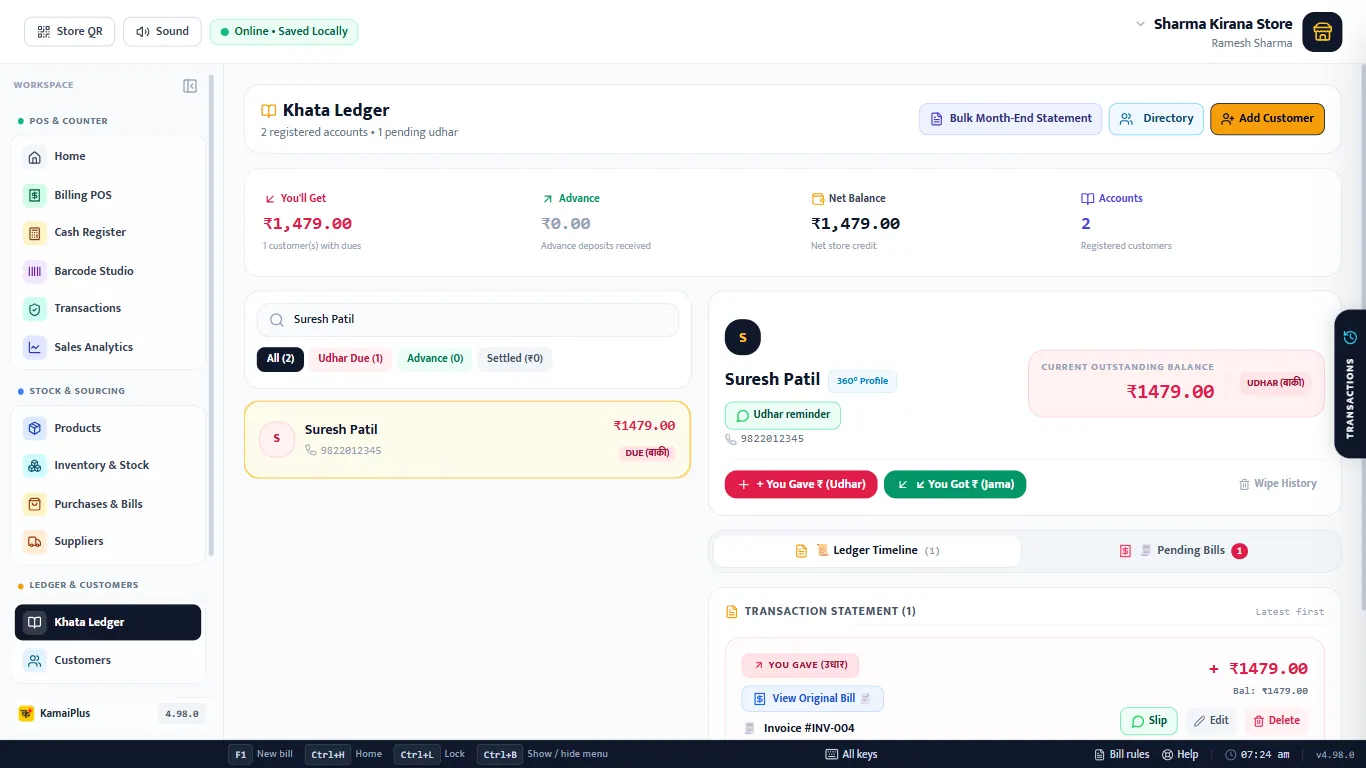
- 1Bulk Month-End Statement and Directory.
- 2Add Customer.
- 3You'll Get (total udhar), Advance, Net Balance and Accounts.
- 4Search by name or mobile.
- 5Filters: All, Udhar Due, Advance, Settled.
- 6Customer cards with their balance: DUE (बाकी) or CLEARED.
- 7The selected customer: 360° Profile, Udhar reminder, mobile.
- 8Current Outstanding Balance.
- 9+ You Gave ₹ (Udhar) and You Got ₹ (Jama).
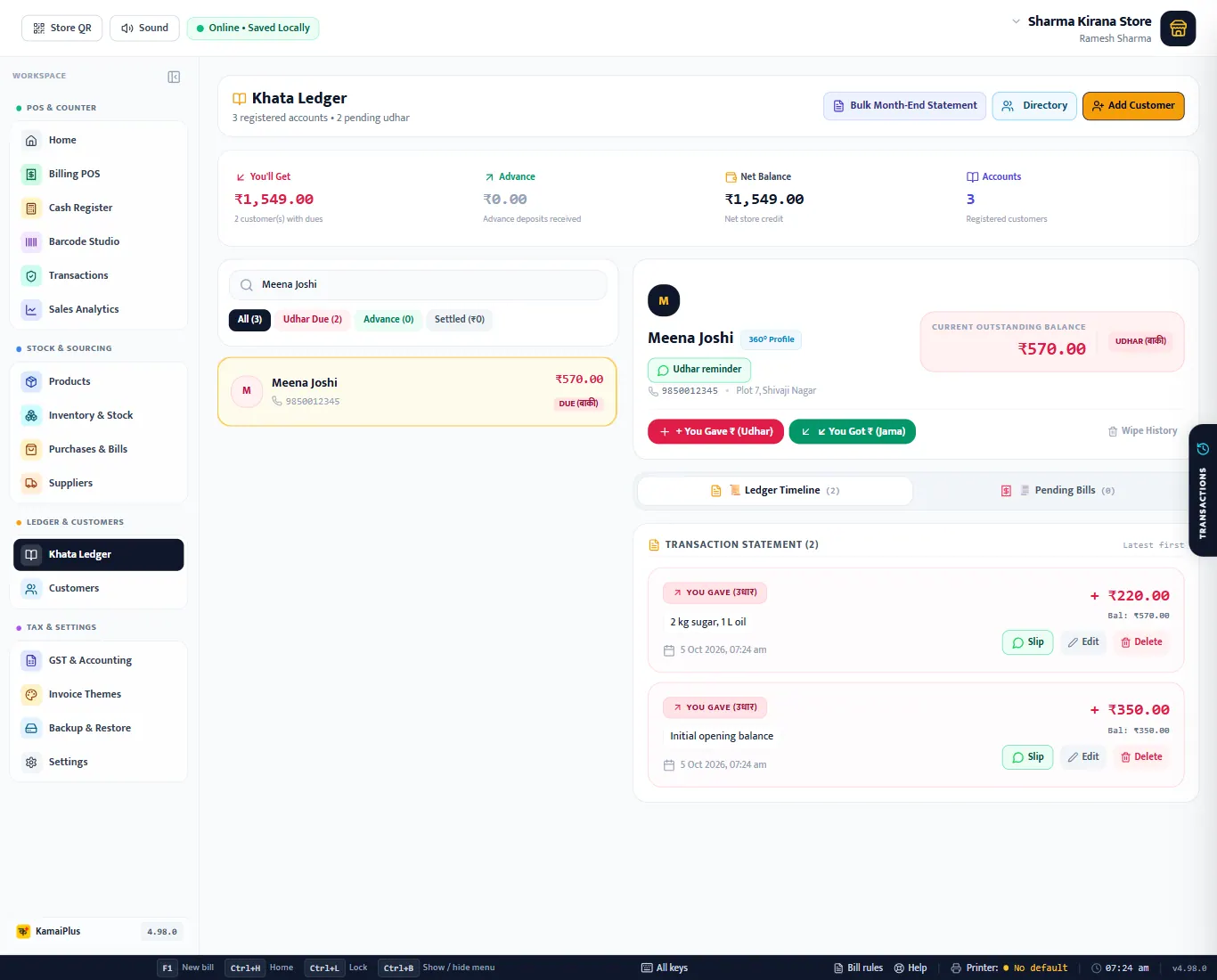
- 10Ledger Timeline and Pending Bills.
Add a customer with old udhar
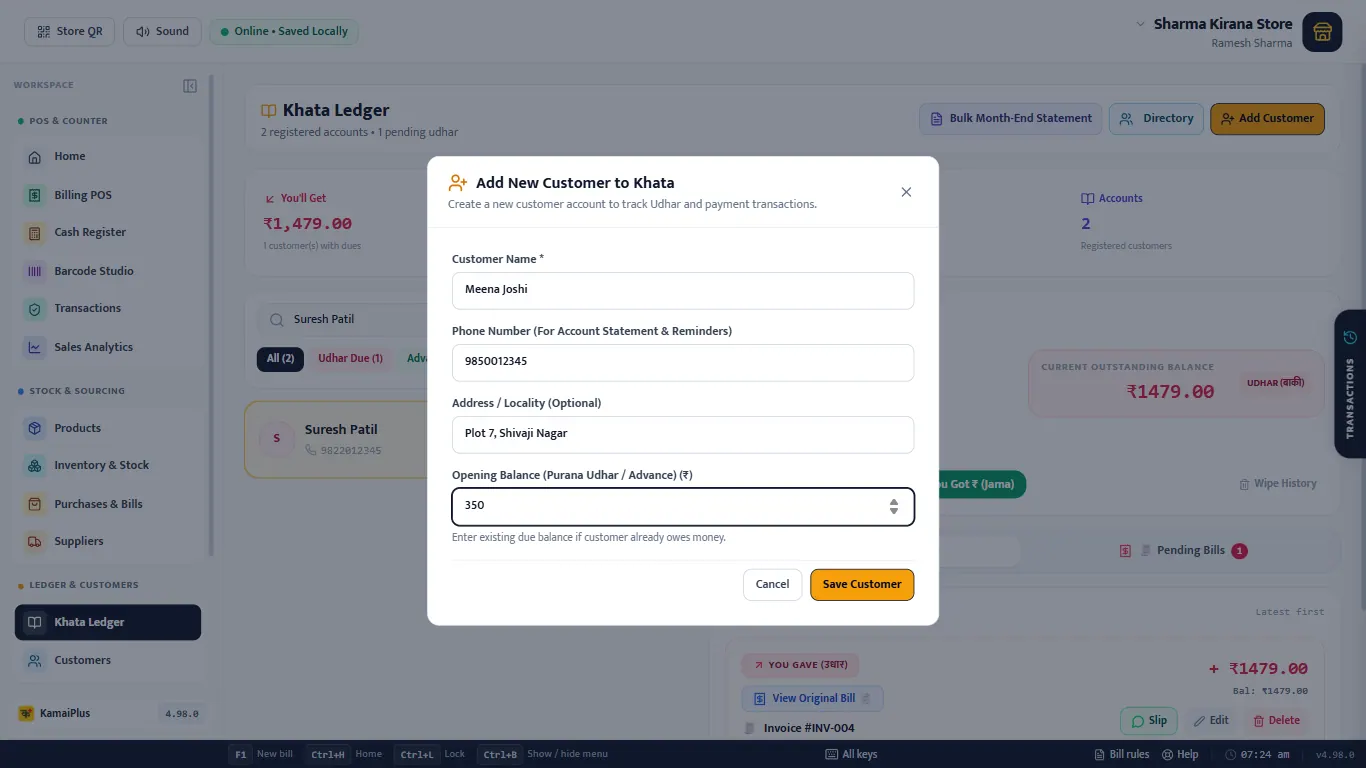
Customers billed on Credit at the counter are added by themselves. For someone from your old notebook, click Add Customer.
| Field | What to enter | Example |
|---|---|---|
| Customer Name * | As you call them. | Meena Joshi |
| Phone Number | For statements and WhatsApp reminders. | 9850012345 |
| Address / Locality | Optional. | Plot 7, Shivaji Nagar |
| Opening Balance (Purana Udhar / Advance) | What they already owe you. | 350 |
You Got: a payment
| Field | What to enter | Example |
|---|---|---|
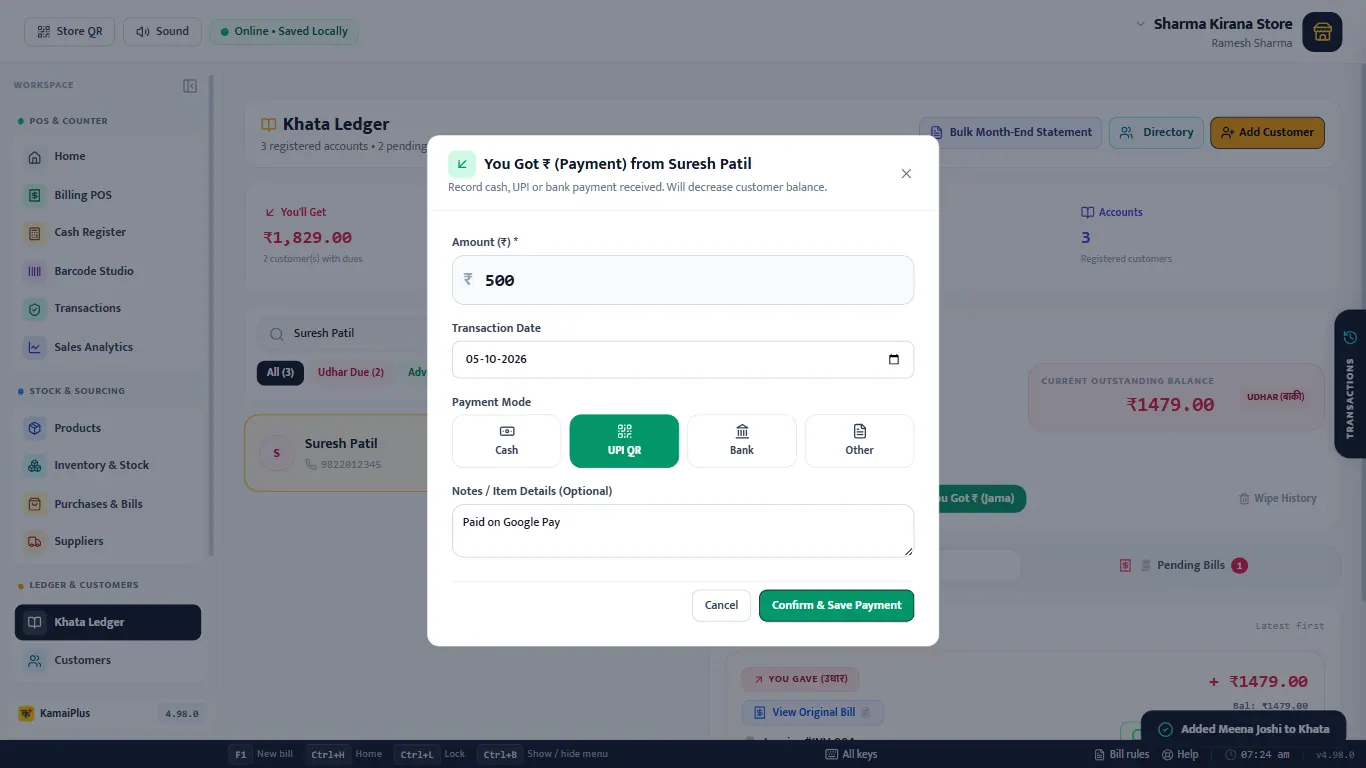
| Amount (₹) * | What the customer paid. | 500 |
| Transaction Date | Today, or the day it was paid. | 04-10-2026 |
| Payment Mode | Cash, UPI QR, Bank or Other. | UPI QR |
| Notes | Optional: the UTR or who brought it. | Paid on Google Pay |
Confirm & Save Payment: ₹1,479 − ₹500 = ₹979 left.
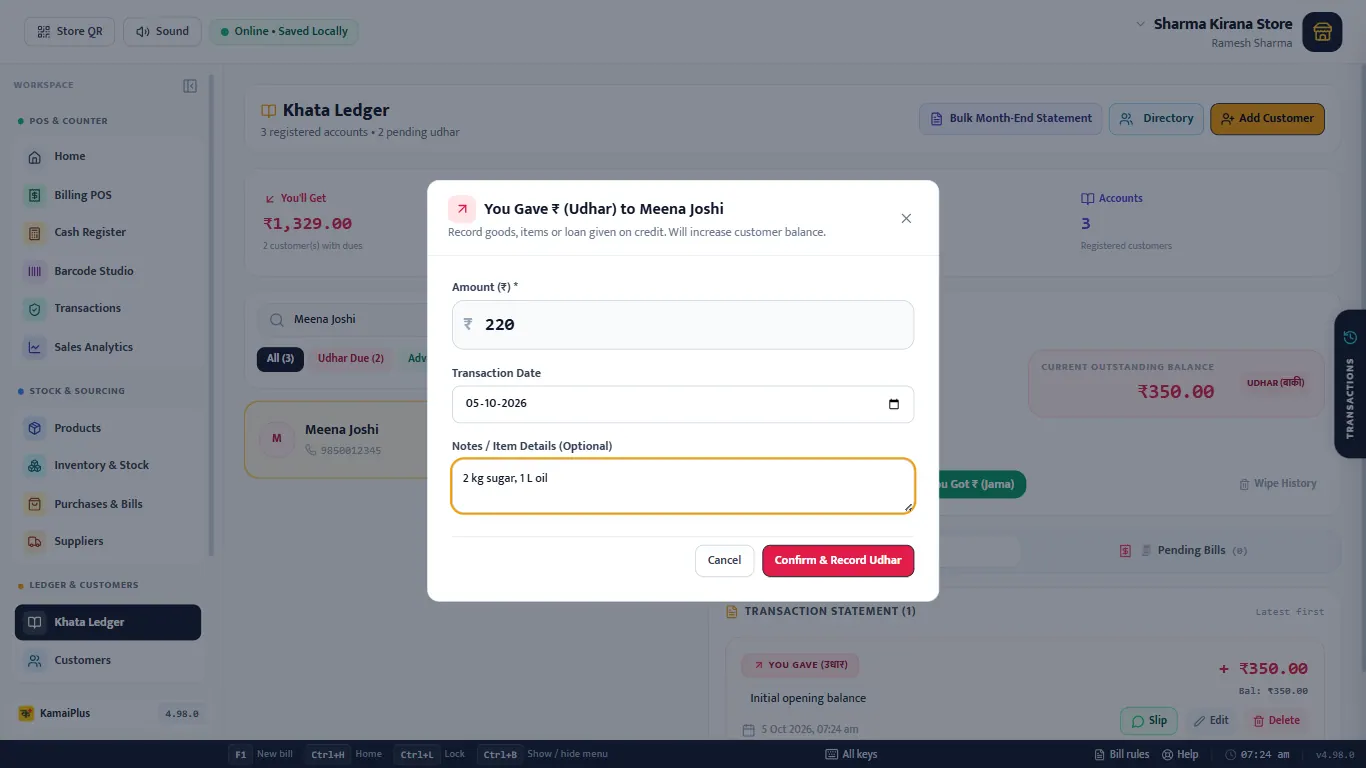
You Gave: udhar without a bill
For goods or a loan given without a counter bill. Type the amount and what was given.
Timeline and pending bills
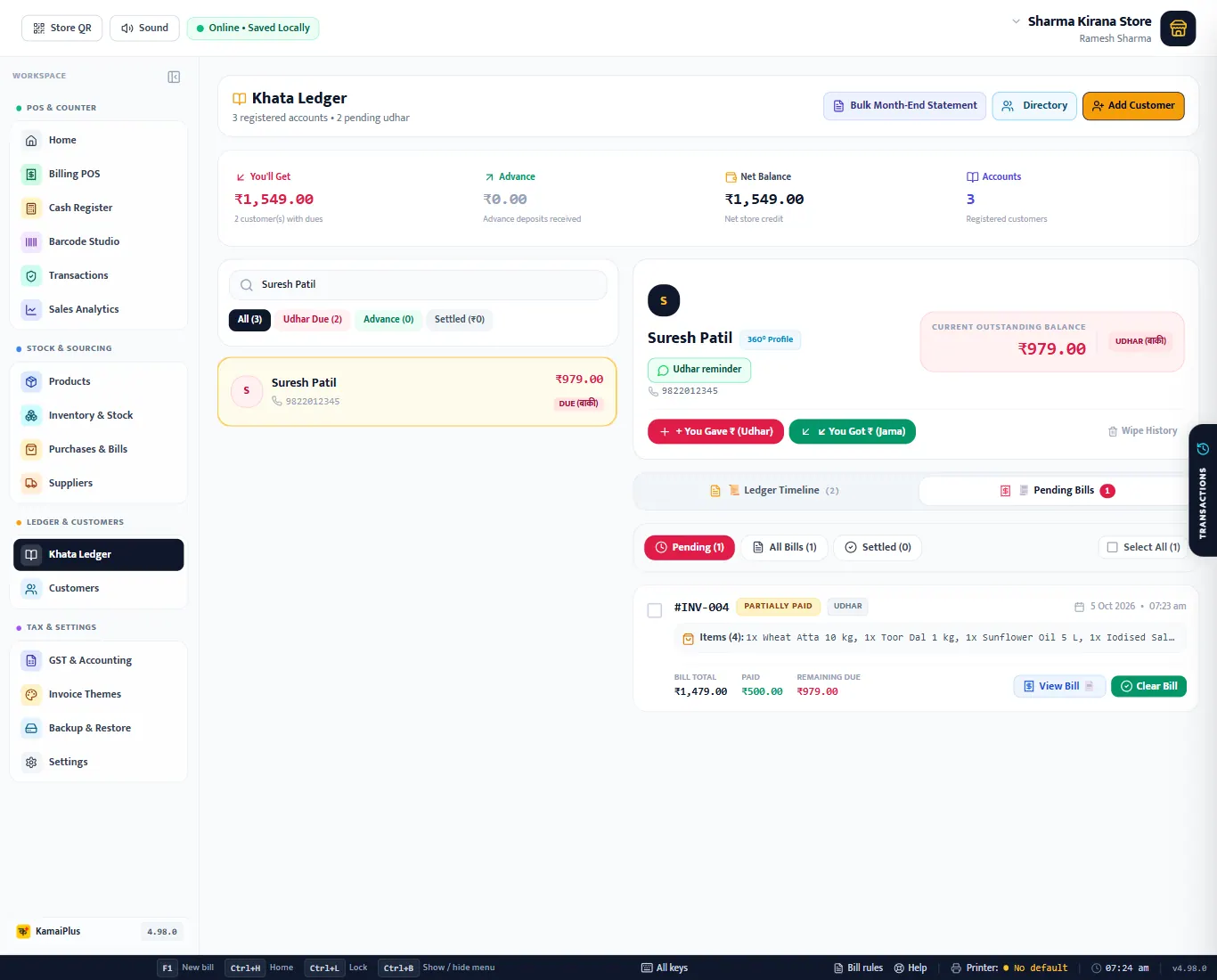
Pending Bills lists the credit bills not yet paid in full, with the bill total, what is paid and what remains. Filters: Pending, All Bills, Settled. Clear Bill settles one bill; tick several (or Select All) to settle them together. View Bill opens the invoice.
WhatsApp reminder
Udhar reminder opens the message, ready to send.
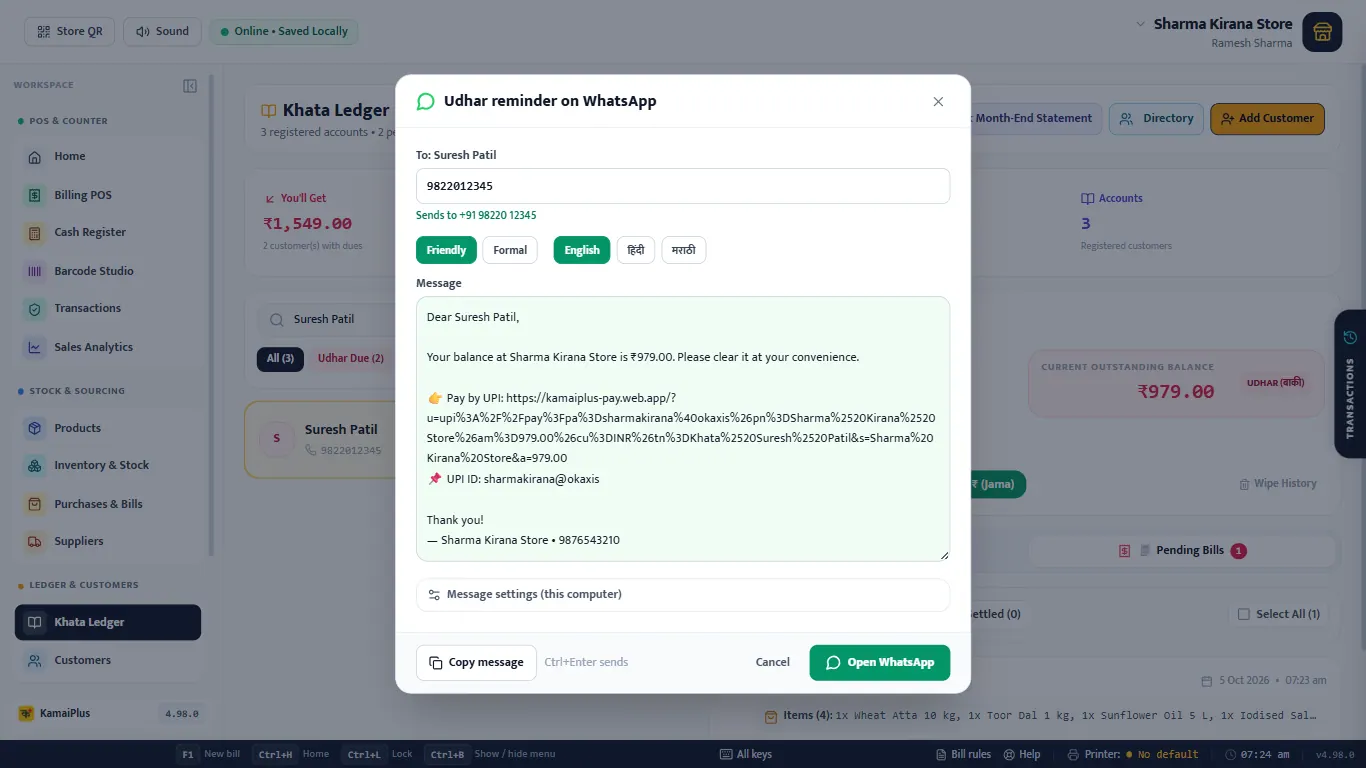
WhatsApp Desktop opens if it is installed, otherwise WhatsApp Web in the browser. The customer taps the link, picks their UPI app and the amount is already filled in.
Month-end statement
Bulk Month-End Statement makes one PDF of the current month for the customers' khata accounts and saves it in your Documents folder; the app says "saved to Documents". Print it or send it from there. For one customer, use Slip on an entry or the reminder above.
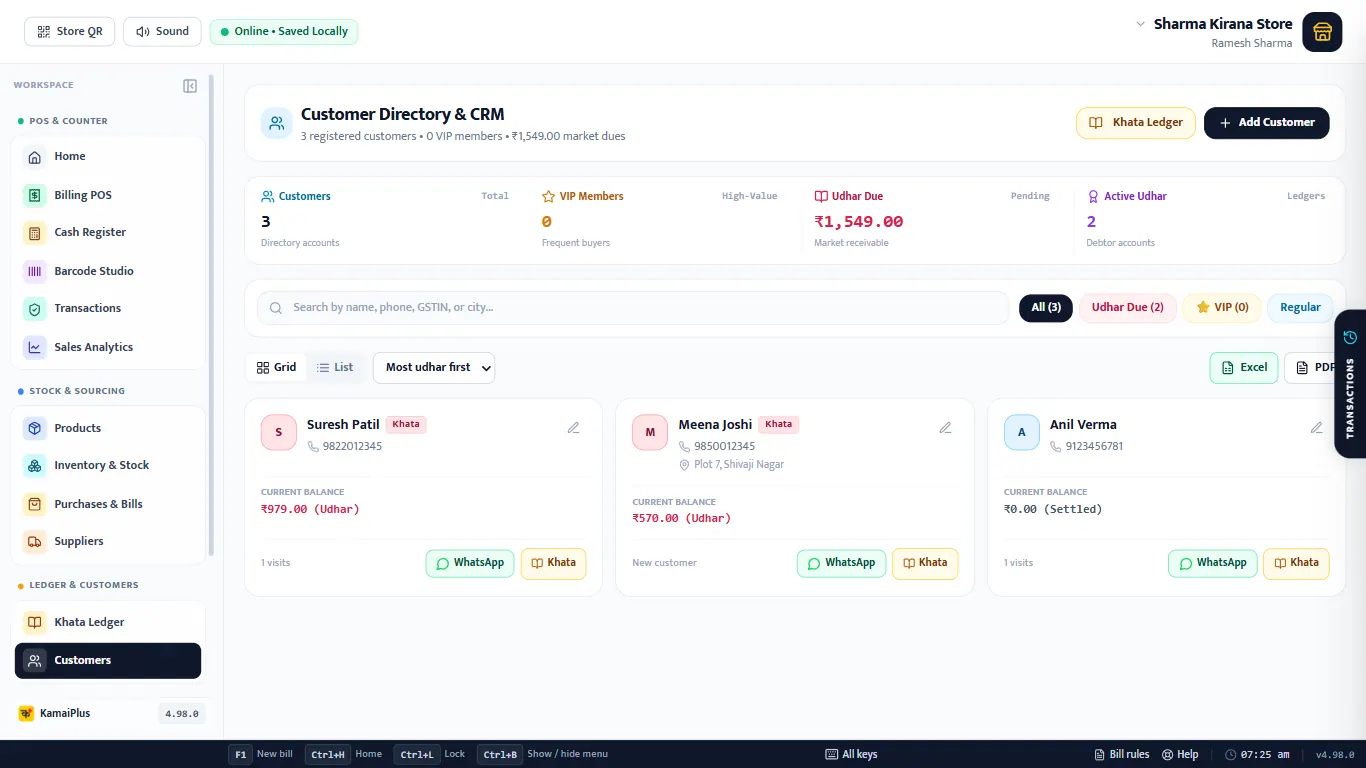
Customers directory
Customers (or Directory in the khata) lists everyone who has bought with a name: balance, visits, WhatsApp and Khata buttons, a grid or list view, sorting such as Most udhar first, filters (Udhar Due, VIP, Regular) and Excel / PDF of the list shown.