
The Transactions screen
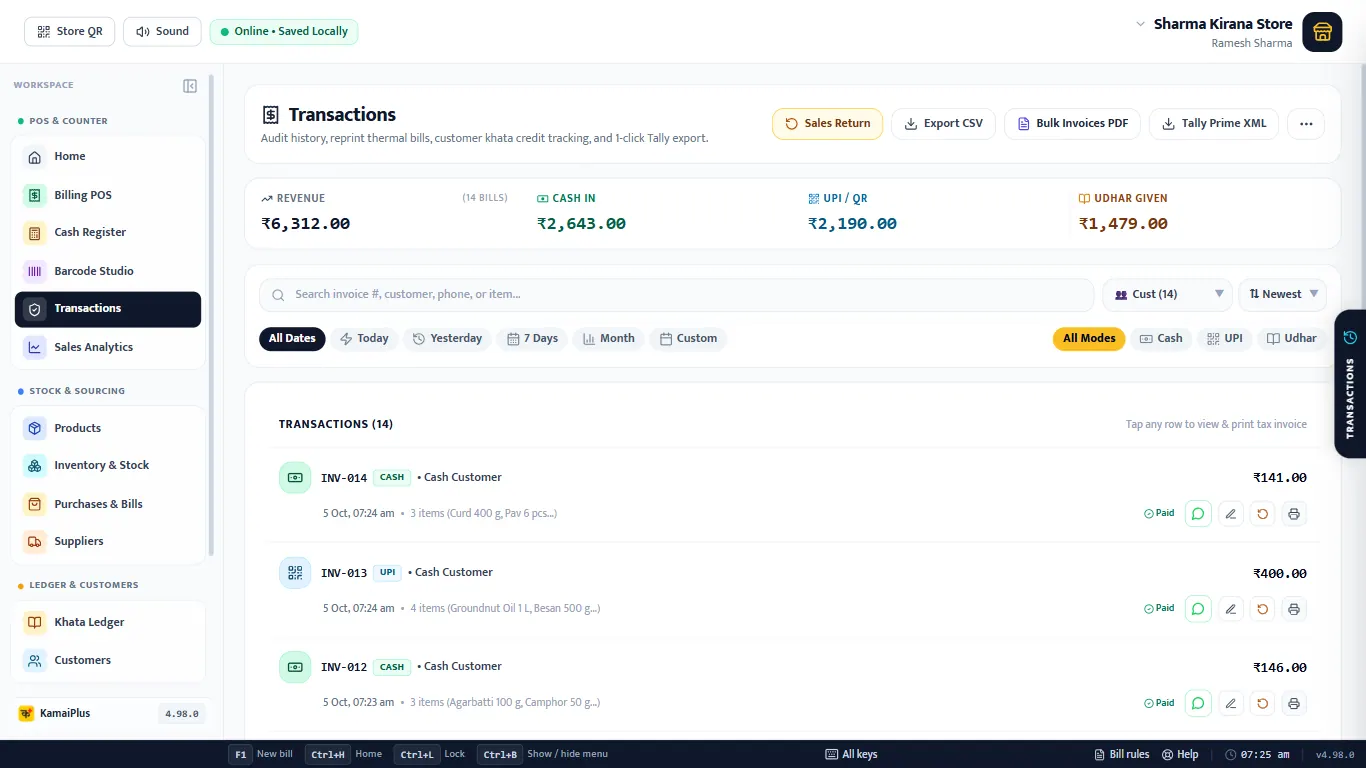
- 1Sales Return: take goods back against a bill number.
- 2Export CSV: the bills shown, for Excel.
- 3Bulk Invoices PDF: all the bills shown in one PDF.
- 4Tally Prime XML: for your accountant's Tally. The ⋯ button next to it holds Delete / Reset All Transaction History, which is only for clearing test bills.
- 5Totals for the bills shown: revenue (after returns), cash in, UPI / QR and udhar given.
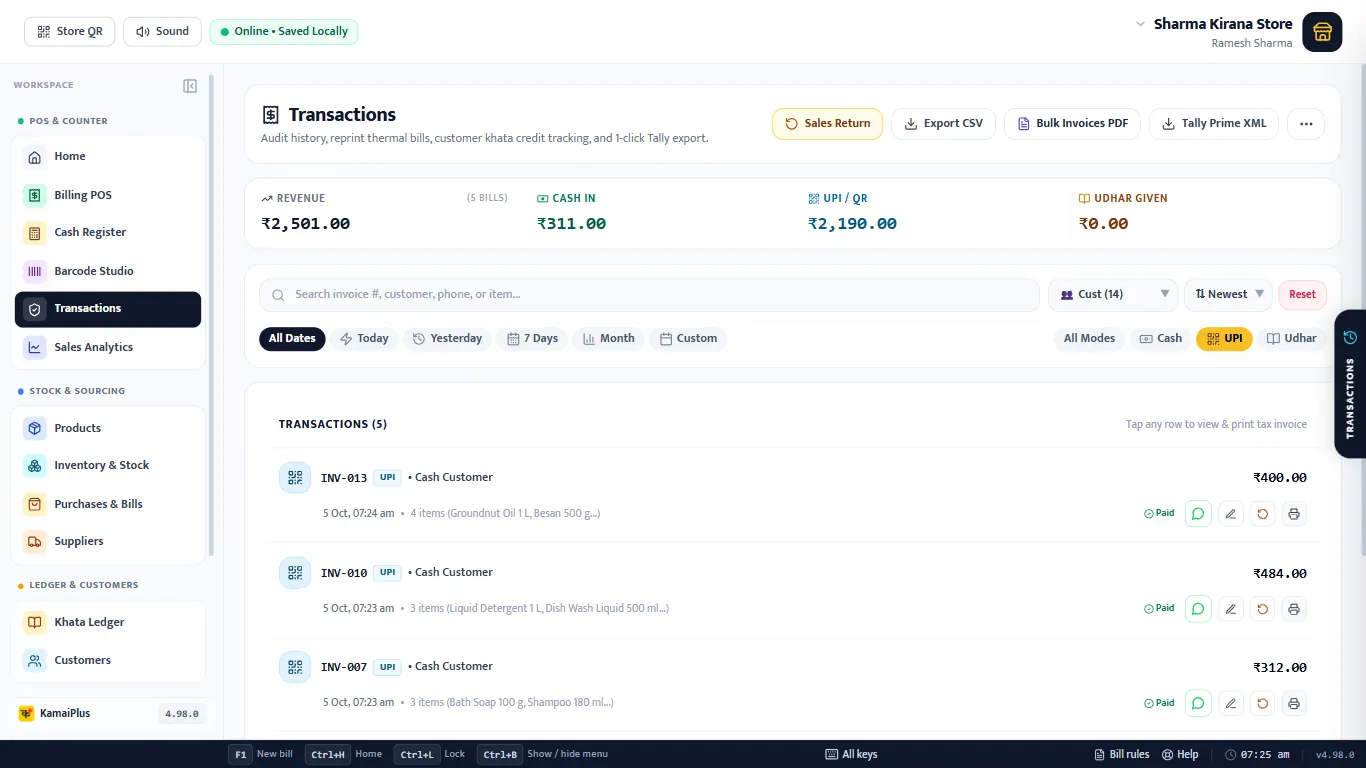
- 6Search by invoice number, customer, phone or item.
- 7Customer filter and Newest / oldest order.
- 8Dates: All Dates, Today, Yesterday, 7 Days, Month, Custom.
- 9Payment: All Modes, Cash, UPI, Udhar.
- 10On each row: WhatsApp, ✏️ edit, ↺ return and 🖨 print. An udhar bill shows what is still due.
Find a bill
Example
A customer says "I bought Paneer this morning and paid by UPI". Click Today and UPI, then type paneer: only INV-002 is left.
Open, reprint, WhatsApp
Click any row to open the bill as a tax invoice.
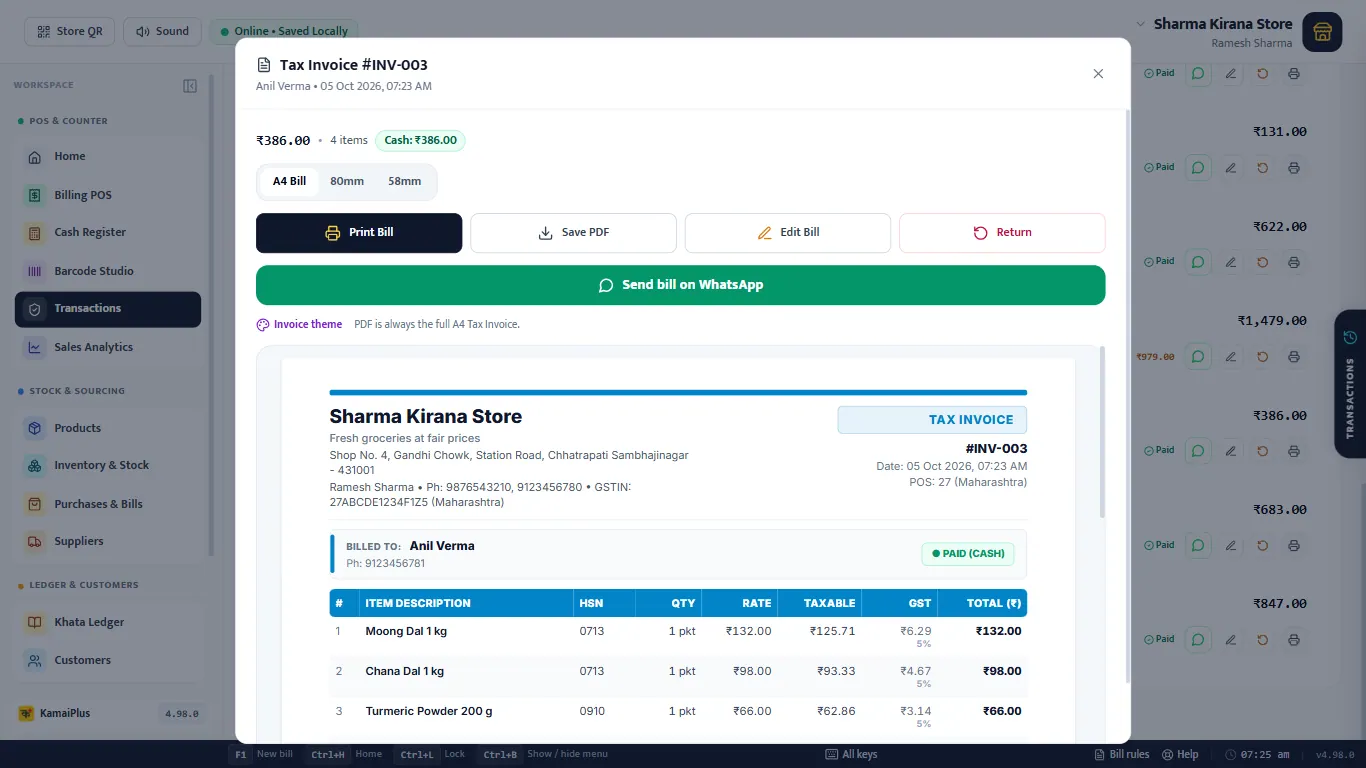
- A4 Bill / 80mm / 58mm then Print Bill: reprint in any size.
- Save PDF: the full A4 tax invoice as a file.
- Send bill on WhatsApp: opens WhatsApp with the bill text, to the customer's number if it is saved.
- Edit Bill and Return: below.
Edit a bill
For mistakes: a wrong quantity, a forgotten item, the wrong customer or payment. Click ✏️ on the row, or Edit Bill on the open bill.
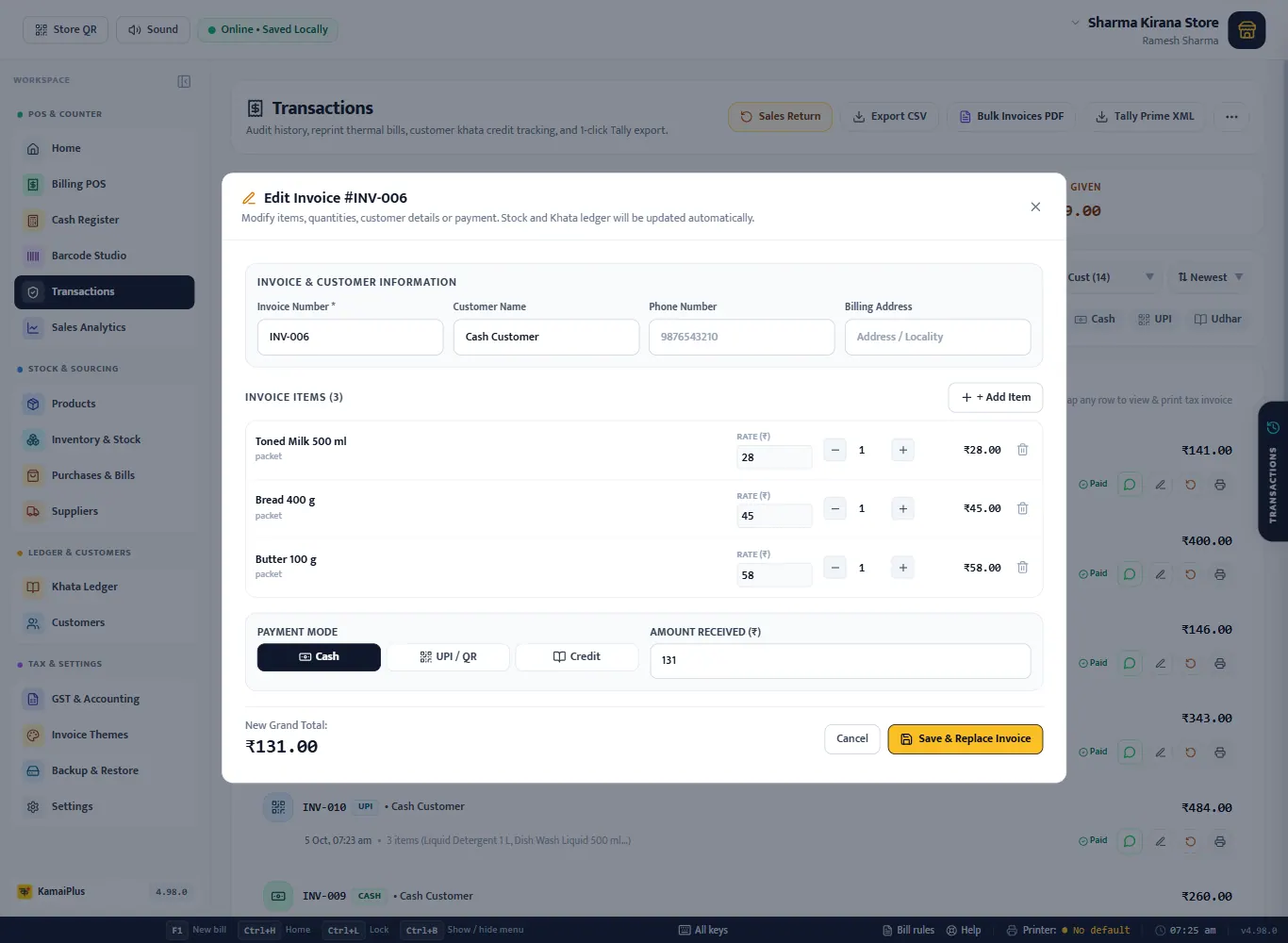
- 1Invoice & Customer Information: number, customer name, phone, billing address.
- 2+ Add Item: something the customer took that was not billed.
- 3Each line: Rate, − / + quantity, 🗑 to remove.
- 4Payment Mode: Cash, UPI / QR or Credit.
- 5Amount Received: less than the total leaves the rest as udhar.
- 6Save & Replace Invoice: the bill keeps its number; stock and the khata are updated automatically.
Goods came back? Use a sales return, not an edit. A return keeps the original bill and creates a credit note, which is what GST expects.
Sales return
- Click Sales Return, type the invoice number (e.g. INV-002) and click Search. Or click ↺ on the bill's row.
- Set Return Qty with − / + for each item coming back.
- Leave Restock? ticked if the item goes back on the shelf; untick it for damaged goods.
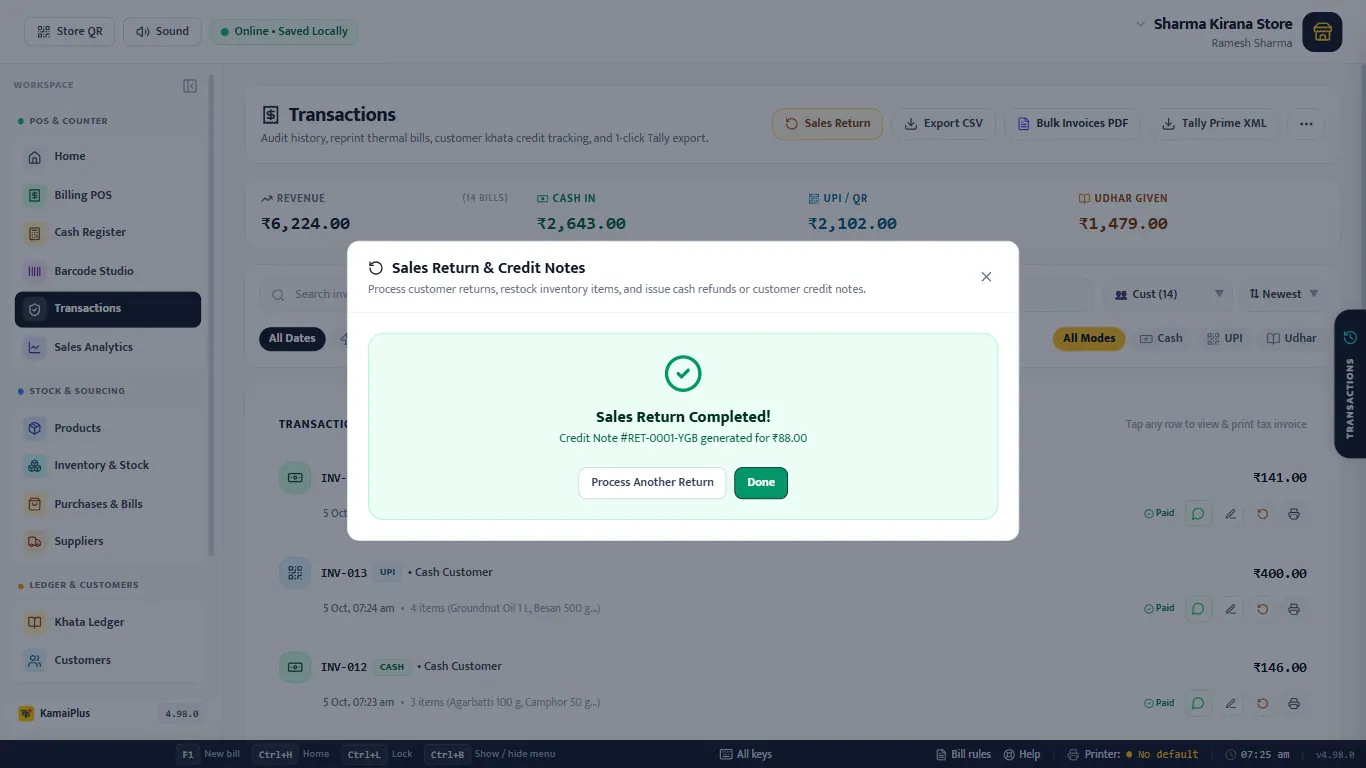
- Choose the Refund Method and click Issue Return.
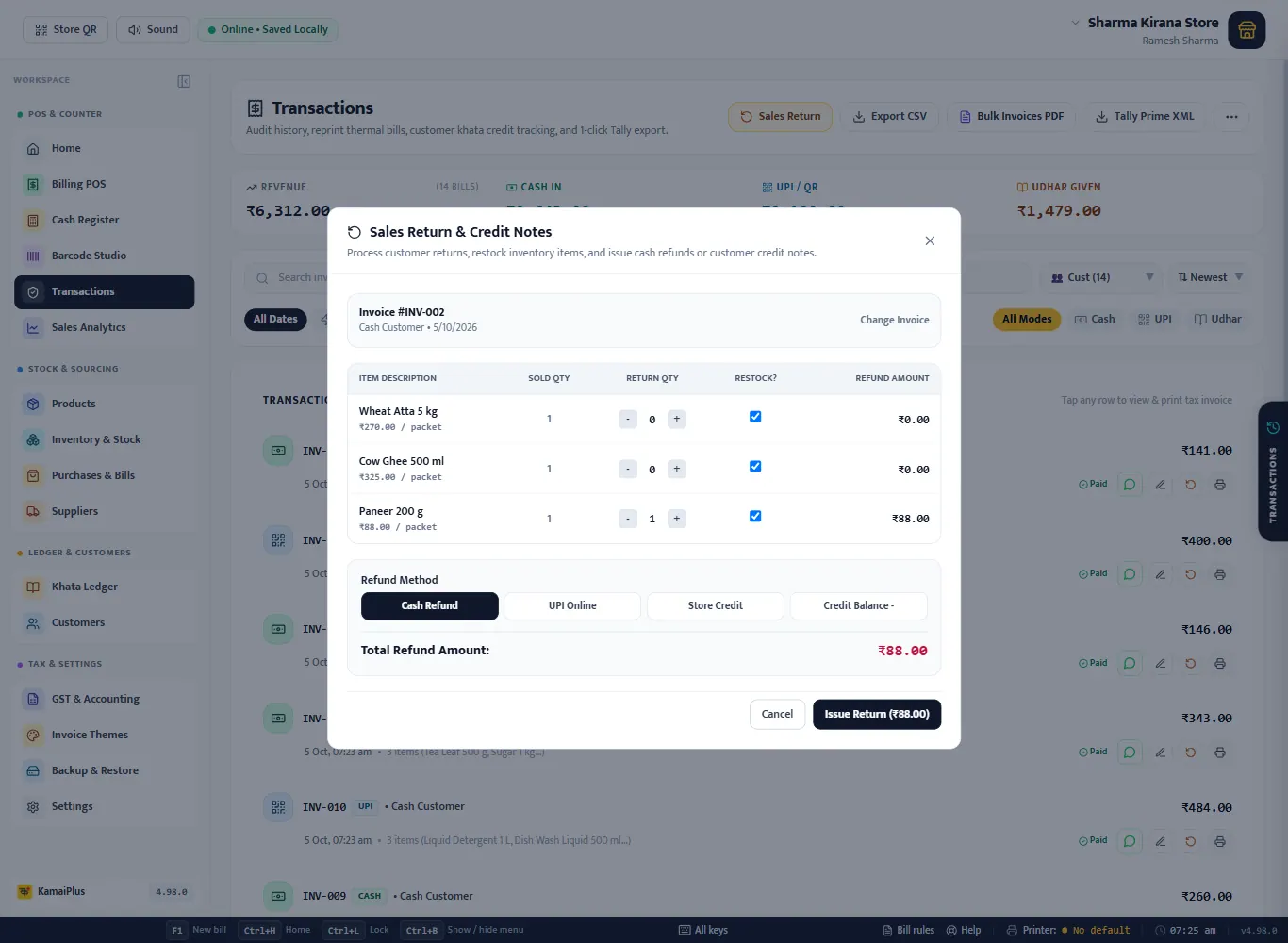
| Refund Method | When to use it | Effect |
|---|---|---|
| Cash Refund | You give cash back from the galla. | A cash refund, out of today's drawer |
| UPI Online | You send the money back by UPI. | A UPI refund |
| Store Credit | The customer will buy something else later. | Lowers what the customer owes; past zero it becomes an advance |
| Credit Balance − | The bill was on udhar. | Lowers the customer's udhar by the refund |
Store Credit and Credit Balance need a customer on the bill; a walk-in sale is refunded in cash or UPI.
Exports
- Export CSV: one row per bill for Excel. Filter first (e.g. Month) to export just that.
- Bulk Invoices PDF: every bill shown, as tax invoices in one PDF, for the CA or a file copy.
- Tally Prime XML: import the sales into Tally. More in Sales reports and GST filing.