Turn it on
The Cash Register is off for a new shop. Turn it on in Settings → Features ON / OFF → Cash Register. It then appears in the menu under Billing POS.
Open the drawer in the morning
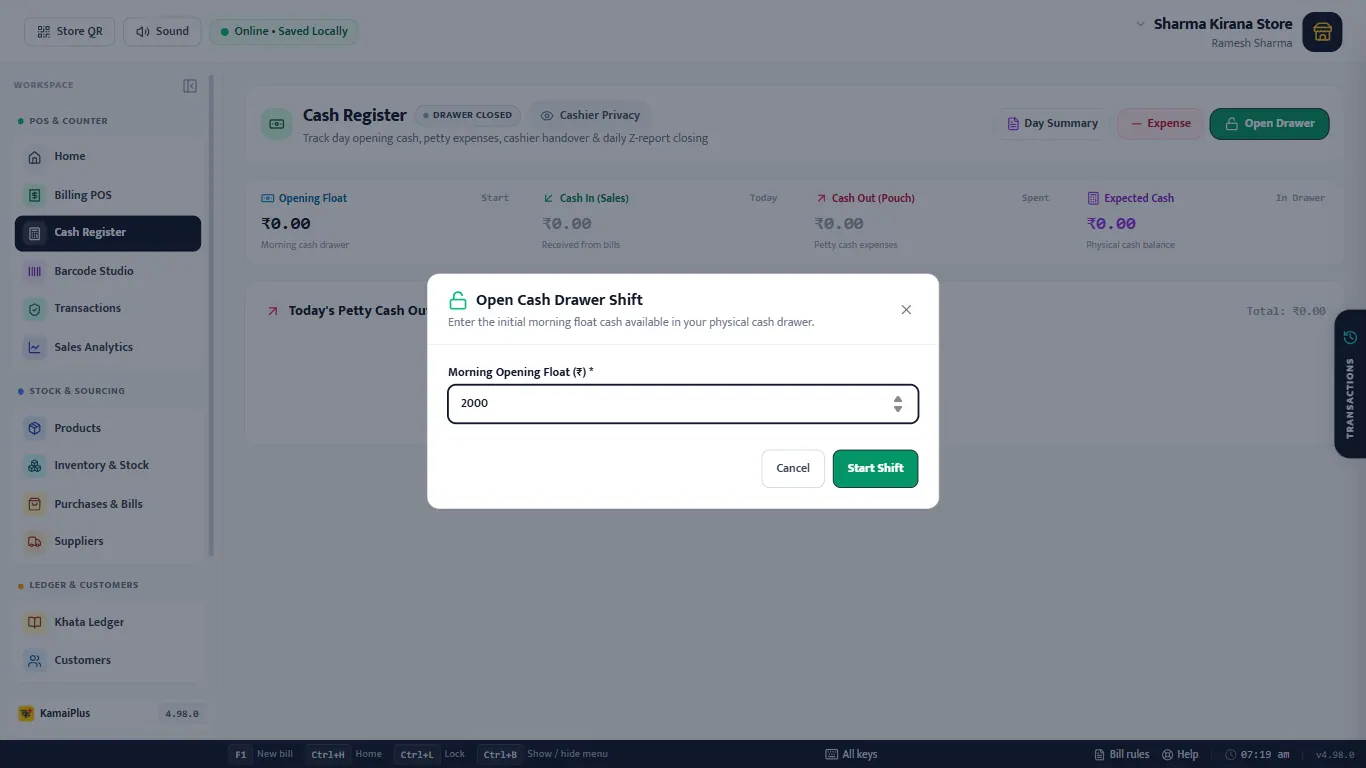
- Open Cash Register. It says DRAWER CLOSED.
- Click Open Drawer.
- Type the Morning Opening Float: the change you start the day with.
- Click Start Shift. The badge turns to DRAWER OPEN.
During the day
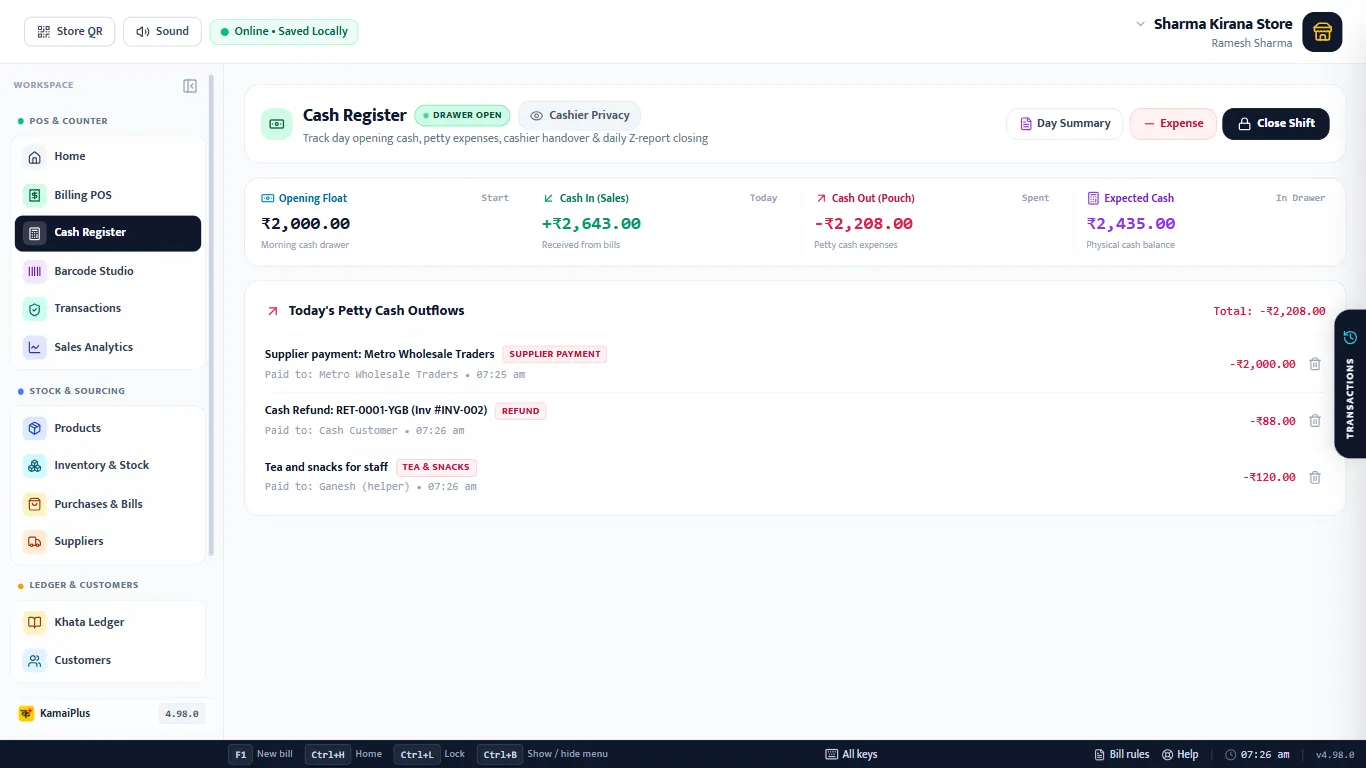
- 1Opening Float: the morning cash.
- 2Cash In (Sales): cash received from bills today.
- 3Cash Out (Pouch): everything paid out of the drawer.
- 4Expected Cash: what should be in the drawer now.
- 5Today's Petty Cash Outflows: each payment, who got it and when. Cash paid to a supplier and cash refunds are added here by themselves.
- 6Day Summary.
- 7Expense: record money taken out.
- 8Close Shift.
₹2,000 opening + ₹2,643 cash sales − ₹2,000 paid to Metro Wholesale − ₹88 cash refund − ₹120 tea and snacks = ₹2,435 expected
Record an expense
Click Expense whenever cash leaves the drawer for the shop: tea, delivery, a small purchase.
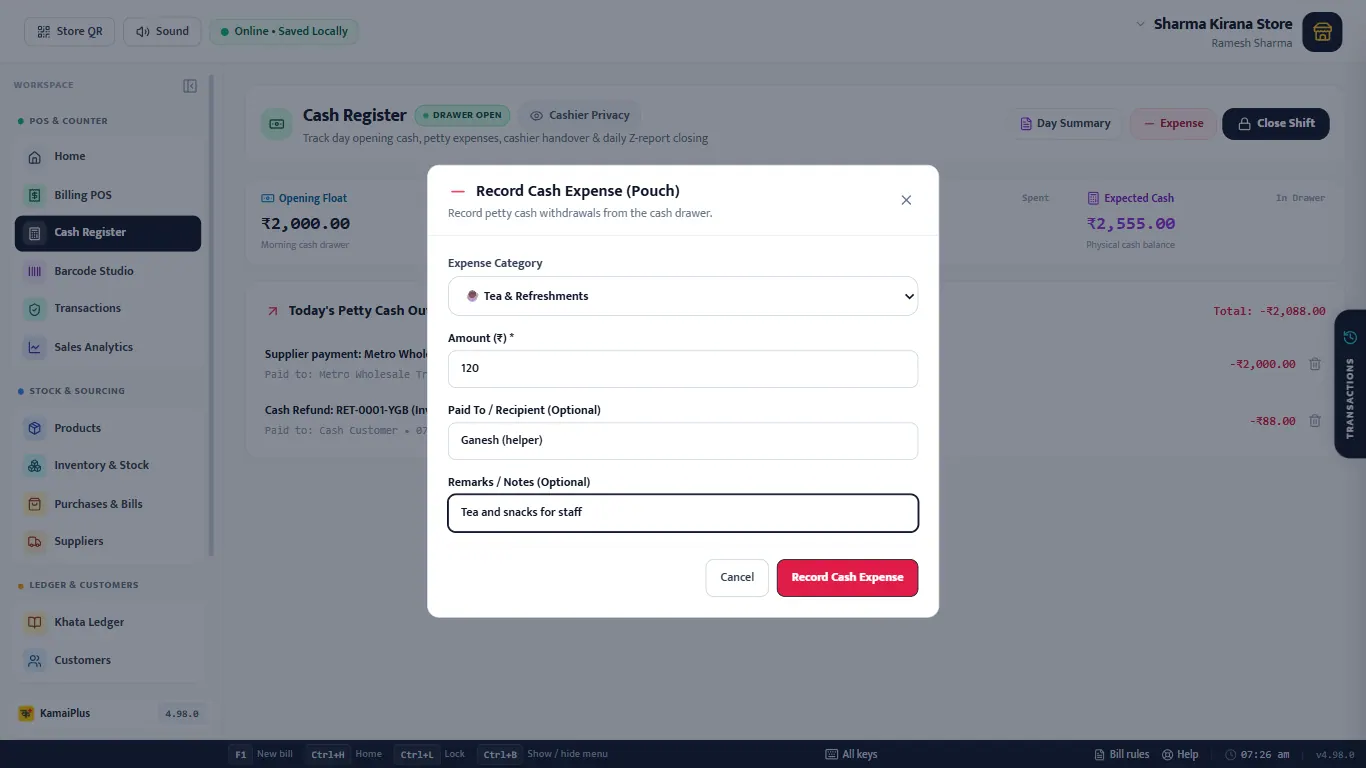
| Field | What to enter | Example |
|---|---|---|
| Amount (₹) * | The cash taken out. | 120 |
| Expense Category | The kind of expense, for the day summary. | Tea & snacks |
| Paid To / Recipient | Optional. | Ganesh (helper) |
| Remarks / Notes | Optional. | Tea and snacks for staff |
A wrong entry can be removed with 🗑 on its row in the outflows list.
Count the notes and close
Click Close Shift. The Denomination Tally Counter opens: type how many of each note and coin are in the drawer.
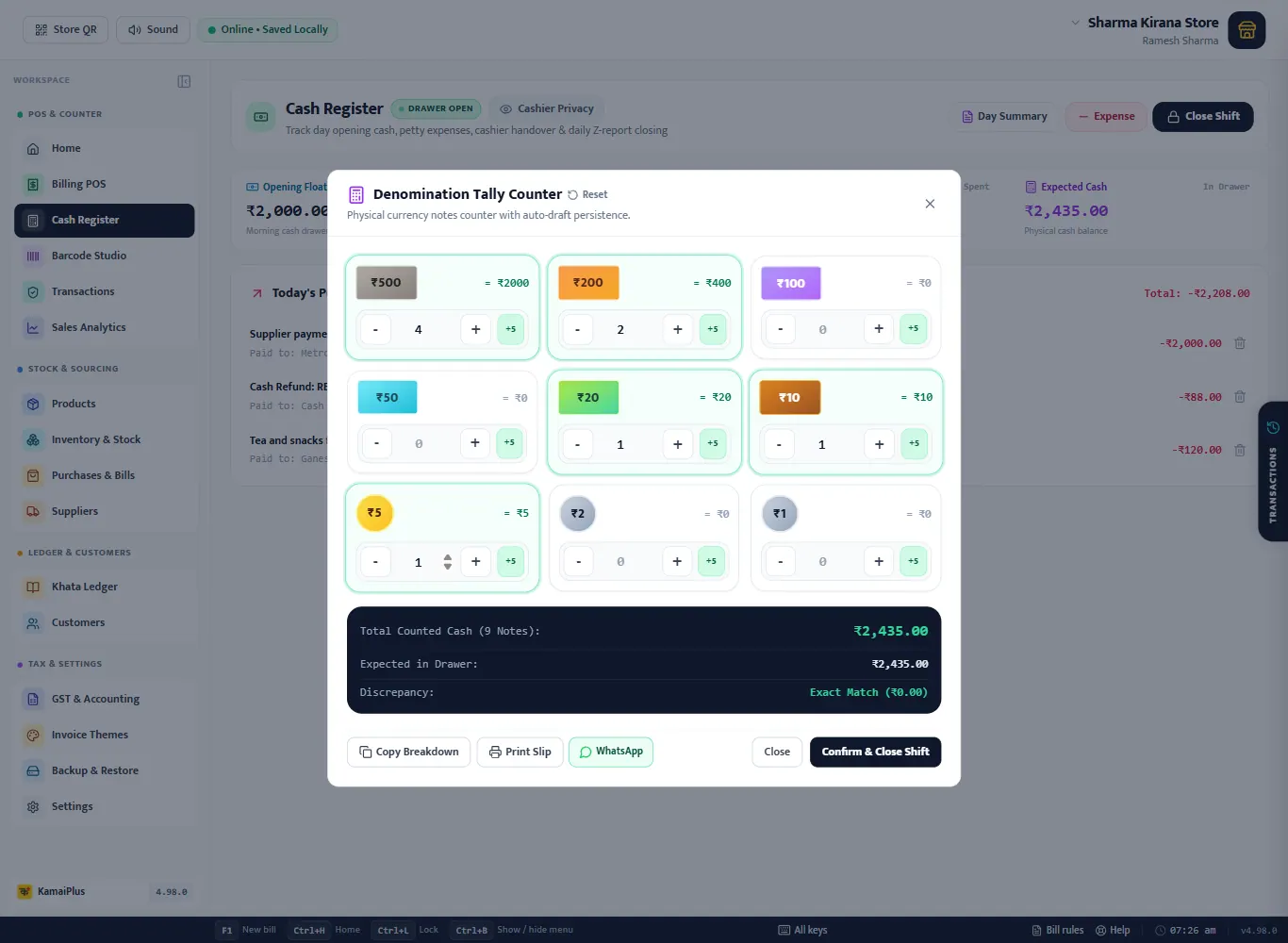
- 1Each note and coin from ₹500 to ₹1: type the count or use − and +.
- 2+5 adds five at once, for a bundle.
- 3Total Counted Cash and how many notes.
- 4Discrepancy: Exact Match, or how much is short or extra.
- 5Copy Breakdown, Print Slip or WhatsApp the count.
- 6Confirm & Close Shift.
Day summary
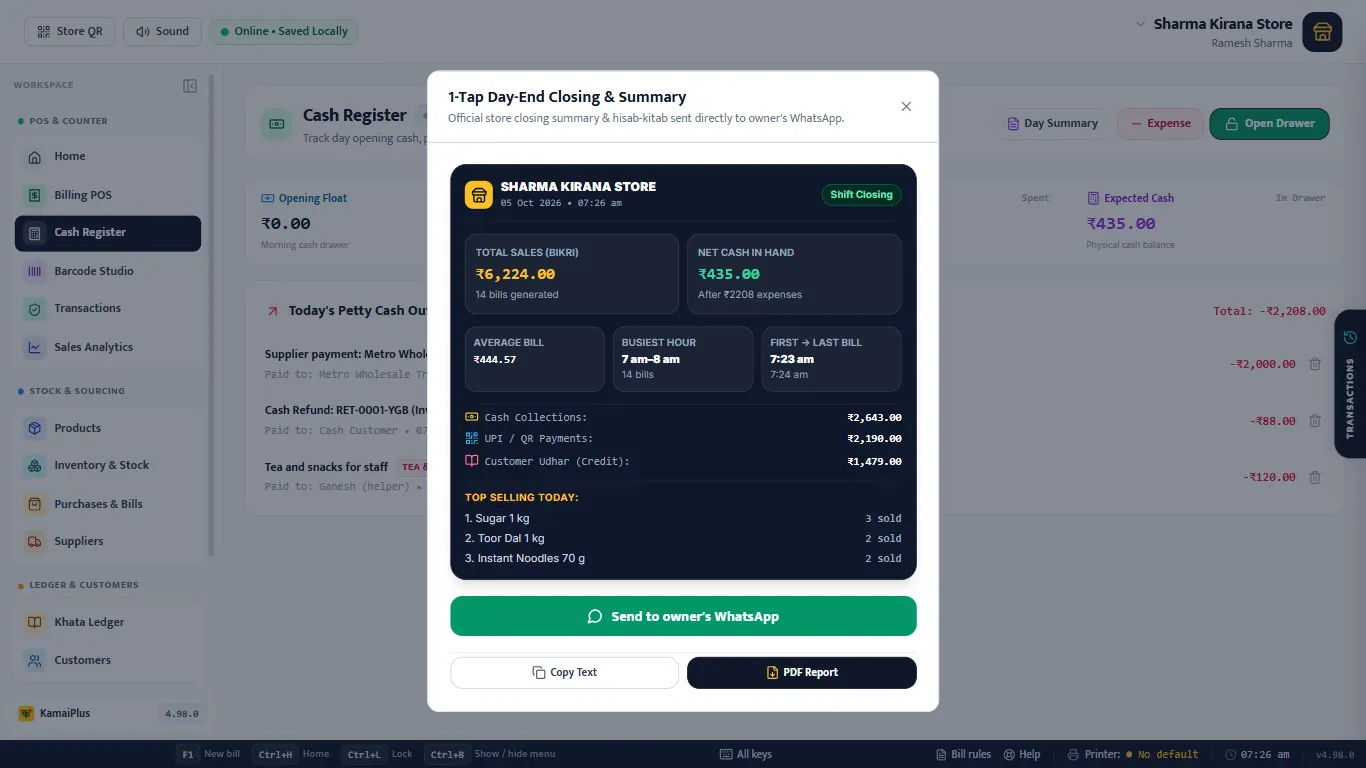
Day Summary (also on Home) is the day on one card: total sales and bills, cash in hand, average bill, the busiest hour, first and last bill, cash, UPI and udhar, and the top-selling items. Send to owner's WhatsApp, Copy Text or PDF Report.