
Reorder Radar
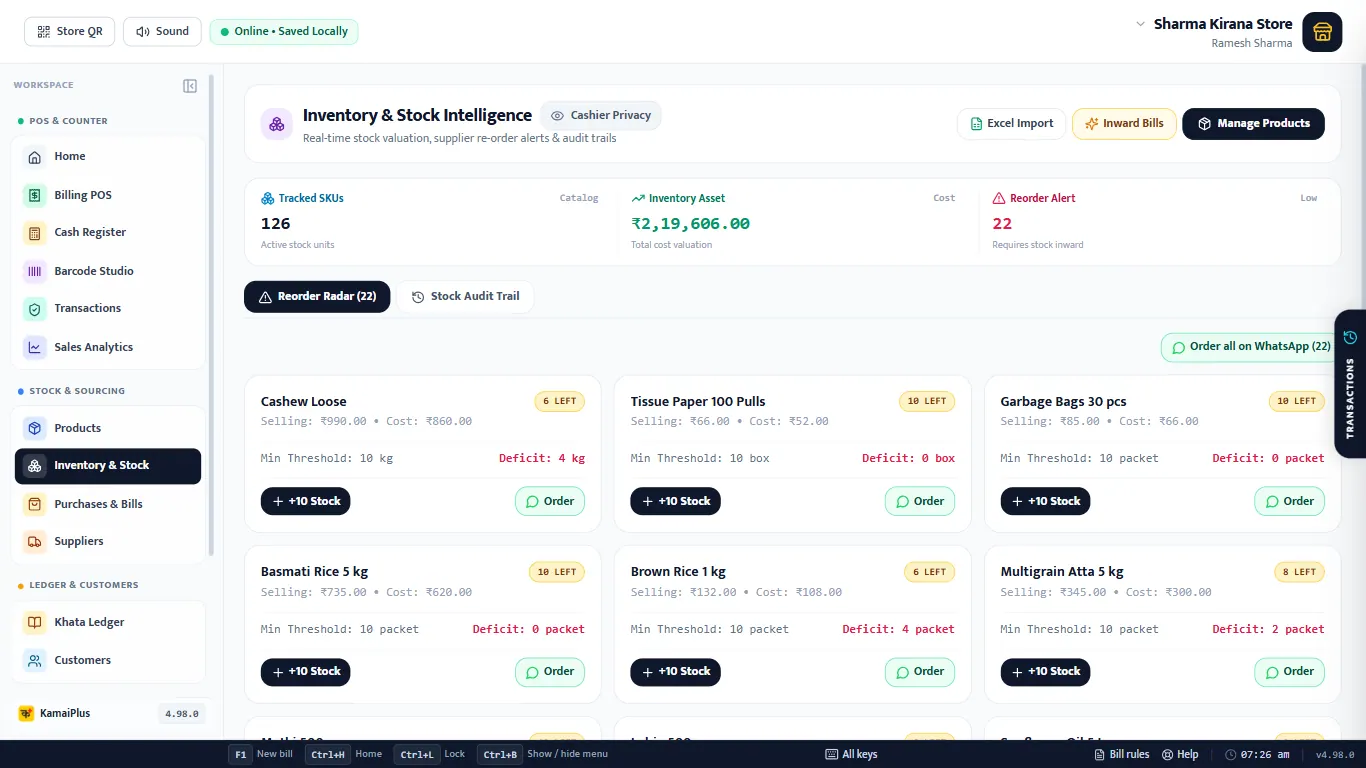
- 1Tracked SKUs: items whose stock is counted.
- 2Inventory Asset: stock × cost price.
- 3Reorder Alert: how many items need stock.
- 4Reorder Radar and Stock Audit Trail tabs.
- 5Order all on WhatsApp.
- 6Each card: stock left, selling and cost price, the warning level (Min Threshold) and the Deficit.
- 7+10 Stock: quick restock when goods arrive.
- 8Order: a WhatsApp order for this one item.
Restock
- +10 Stock on a card adds ten units to that item, logged in the audit trail.
- For a real delivery with a bill and buying price, use Inward Bills at the top, or Purchases; the cost price is updated too.
- Excel Import brings a whole sheet in, see Excel import.
Order on WhatsApp
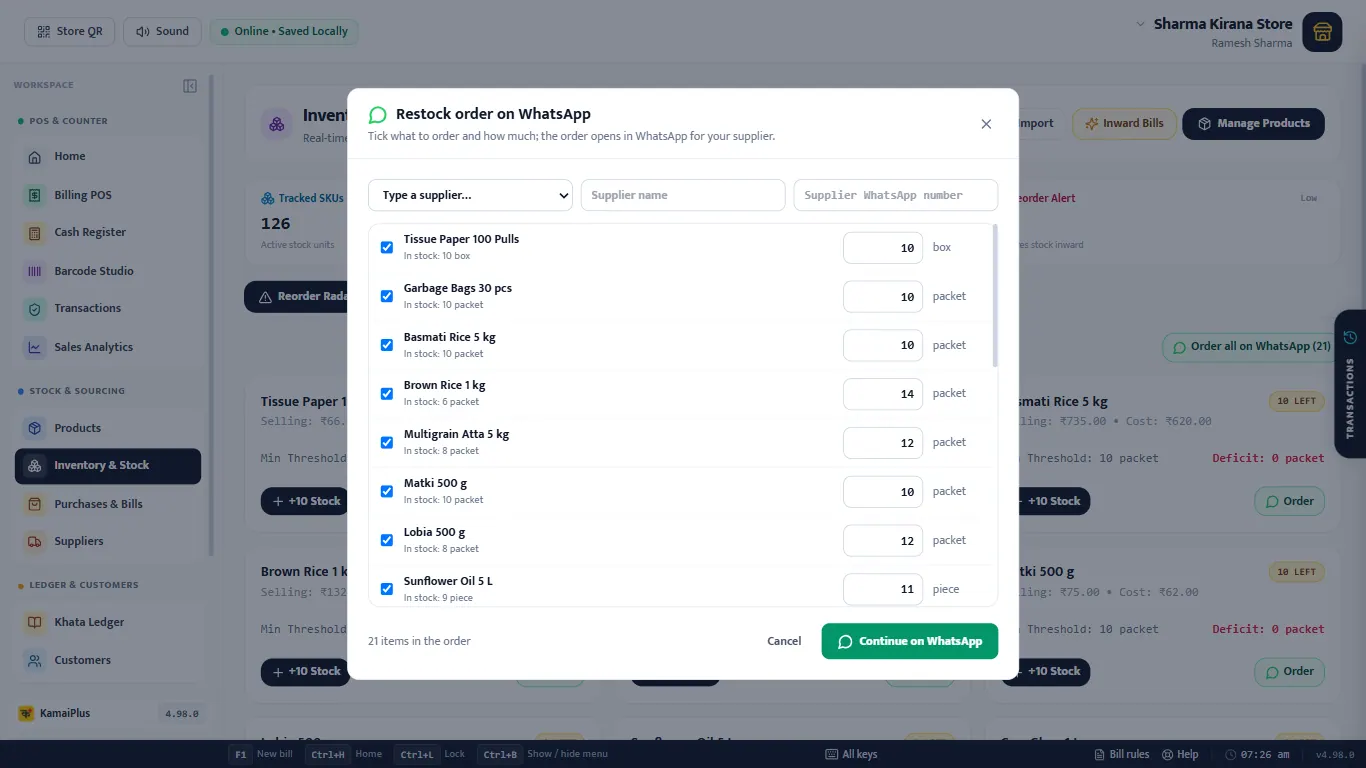
Order all on WhatsApp builds a restock order from the reorder list.
Example
21 items were low after the demo day. Unticking the ones the shop buys elsewhere and sending the rest to Shree Ganesh Distributors takes under a minute.
Stock Audit Trail
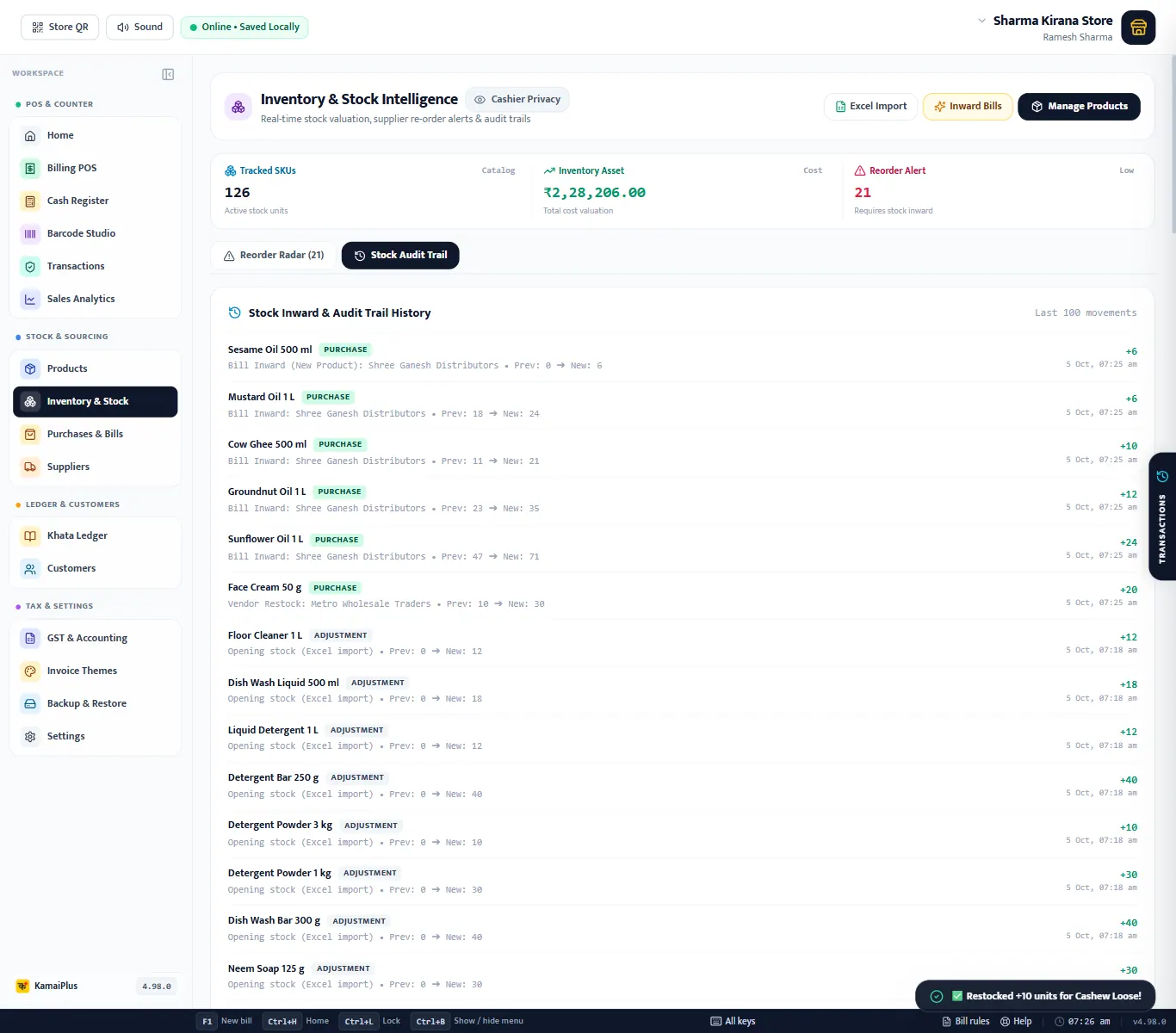
Every change to a counted item's stock is kept: what changed, why, from how many to how many, and when.
| Type | Comes from | Example |
|---|---|---|
| PURCHASE | Stock inward, a supplier's bill, a restock | Sunflower Oil 1 L +24 (47 → 71) |
| ADJUSTMENT | Opening stock from Excel, a correction | Floor Cleaner 1 L +12 (0 → 12) |
| SALE | A bill | Toor Dal 1 kg −1 |
| RETURN | A sales return with Restock ticked | Paneer 200 g +1 |
Stock value
Inventory Asset is the stock of every counted item times its cost price. Items with unlimited stock are not counted. Keep cost prices current (purchases update them) and this is what your shelves are worth at cost.