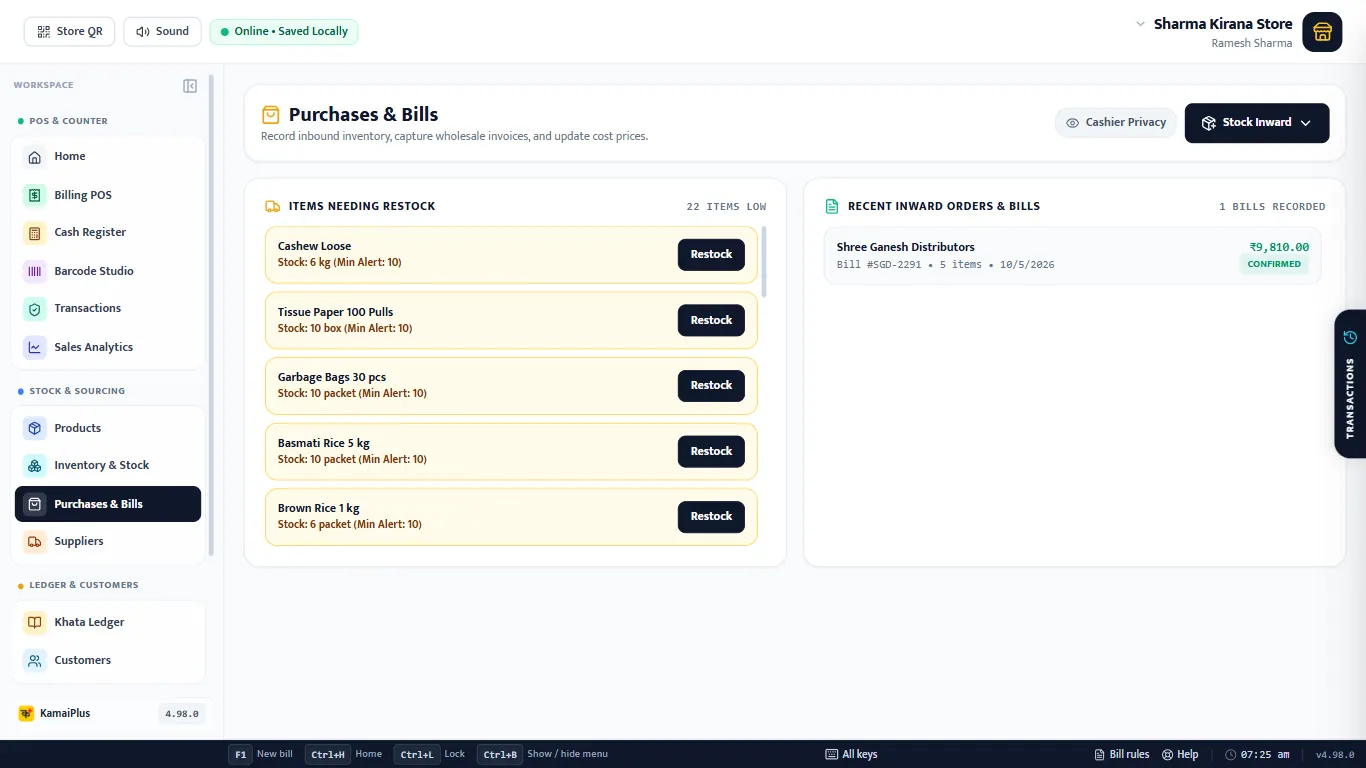
Add a supplier
Open Suppliers and click + Add Supplier.
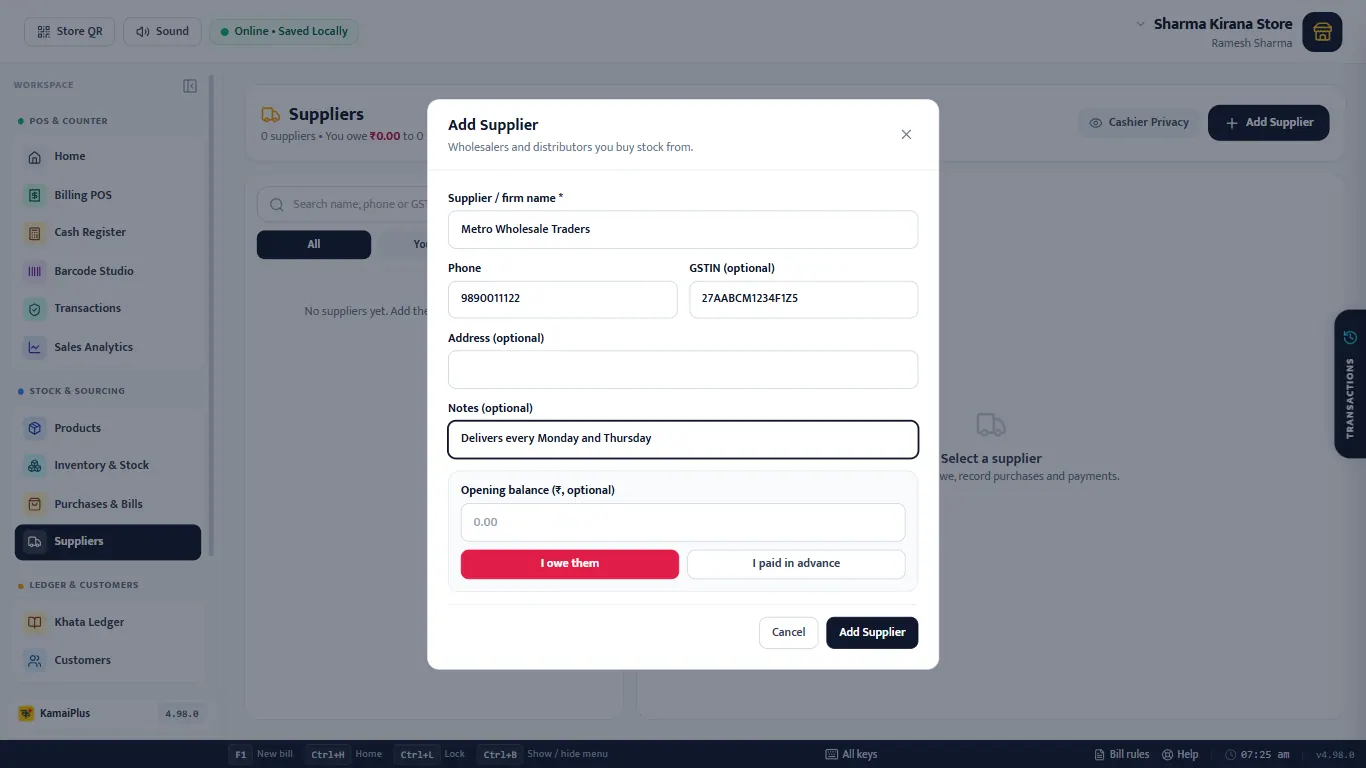
| Field | What to enter | Example |
|---|---|---|
| Supplier / firm name * | As on their bill. | Metro Wholesale Traders |
| Phone | 10-digit mobile, used for WhatsApp orders. | 9890011122 |
| GSTIN (optional) | Their GST number; the format is checked. | 27AABCM1234F1Z5 |
| Address (optional) | Their shop or godown. | MIDC, Waluj |
| Notes (optional) | Anything to remember. | Delivers every Monday and Thursday |
| Opening balance | Money between you before KamaiPlus: I owe them or I paid in advance. | ₹4,500, I owe them |
Buy on credit and pay
Click a supplier to open their account.
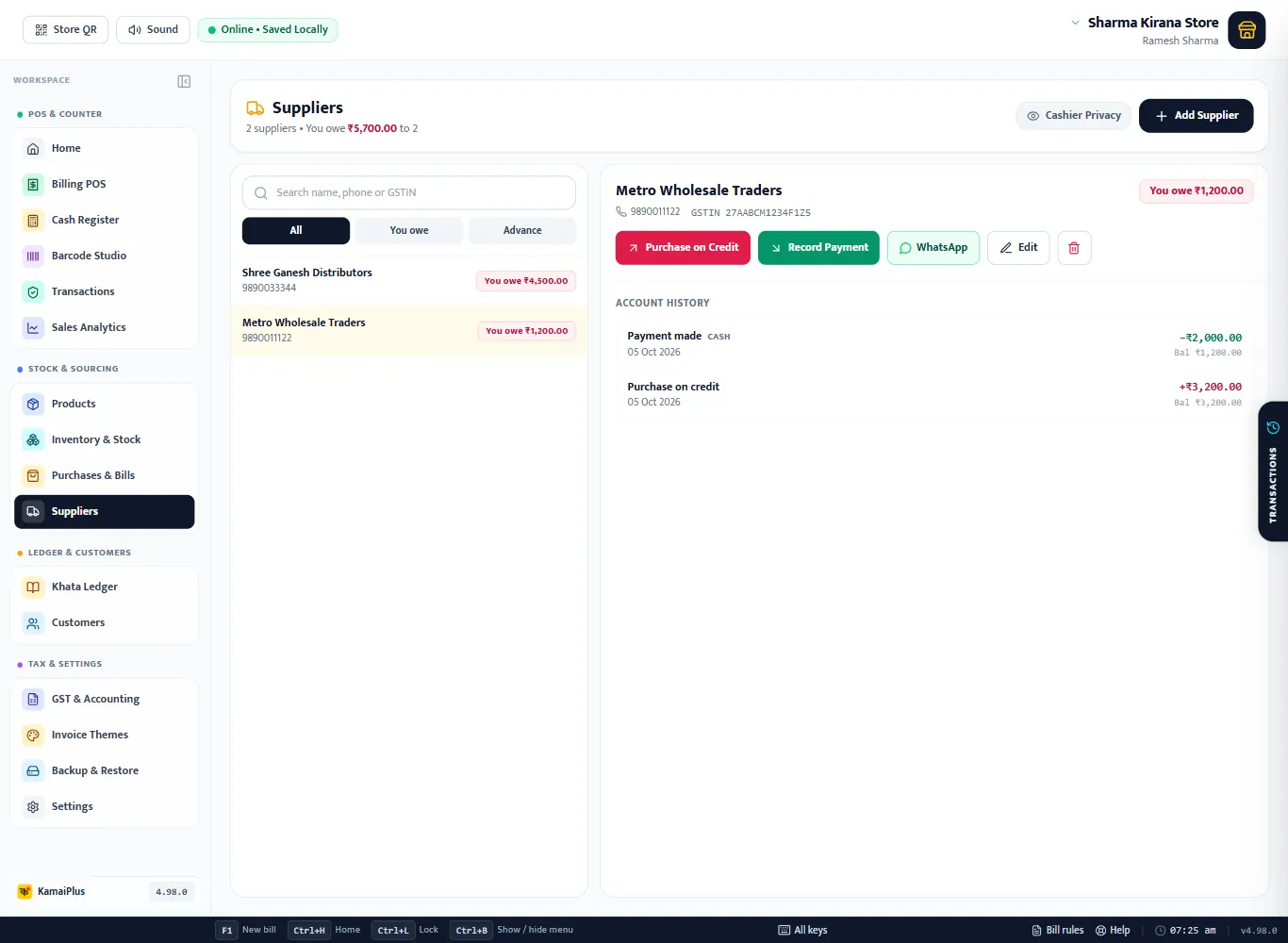
- Purchase on Credit: goods you bought and will pay for later. Amount, date and the bill number or a note.
- Record Payment: money you paid, and how (Paid by cash, UPI, bank…). A cash payment is also added to today's cash expenses, so the drawer count stays right.
- The list on the left shows each supplier with You owe or Advance, and filters for both.
Example
Metro Wholesale: purchase on credit ₹3,200 (bill MW-1182) − payment ₹2,000 cash = you owe ₹1,200
Four ways to bring stock in
On Purchases & Bills, click Stock Inward.
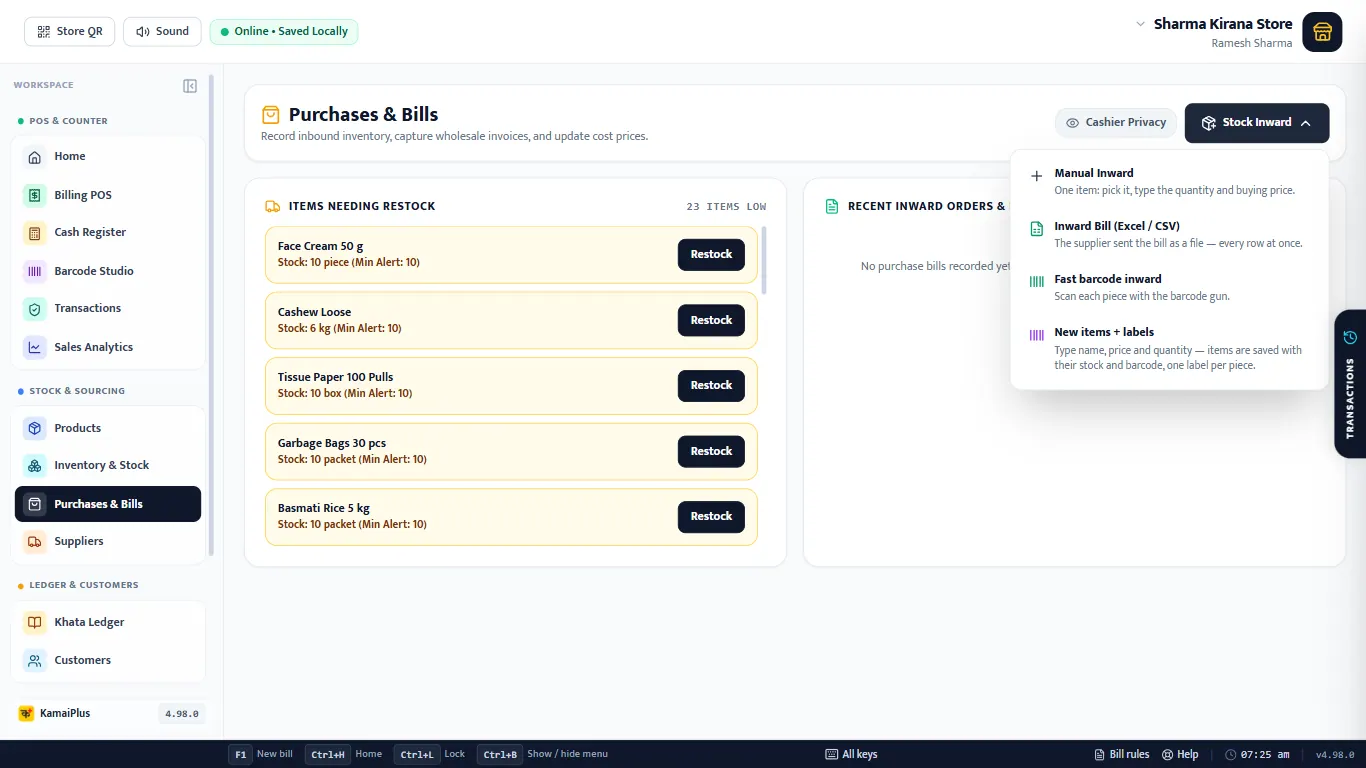
| Option | Use it when | |
|---|---|---|
| Manual Inward | One item: pick it, type the quantity and buying price. | |
| Inward Bill (Excel / CSV) | The supplier sent the bill as a file: every row at once. | |
| Fast barcode inward | Scan each piece with the barcode gun. | |
| New items + labels | New goods: type name, price and quantity; each is saved with stock and a barcode, one label per piece. |
Manual inward
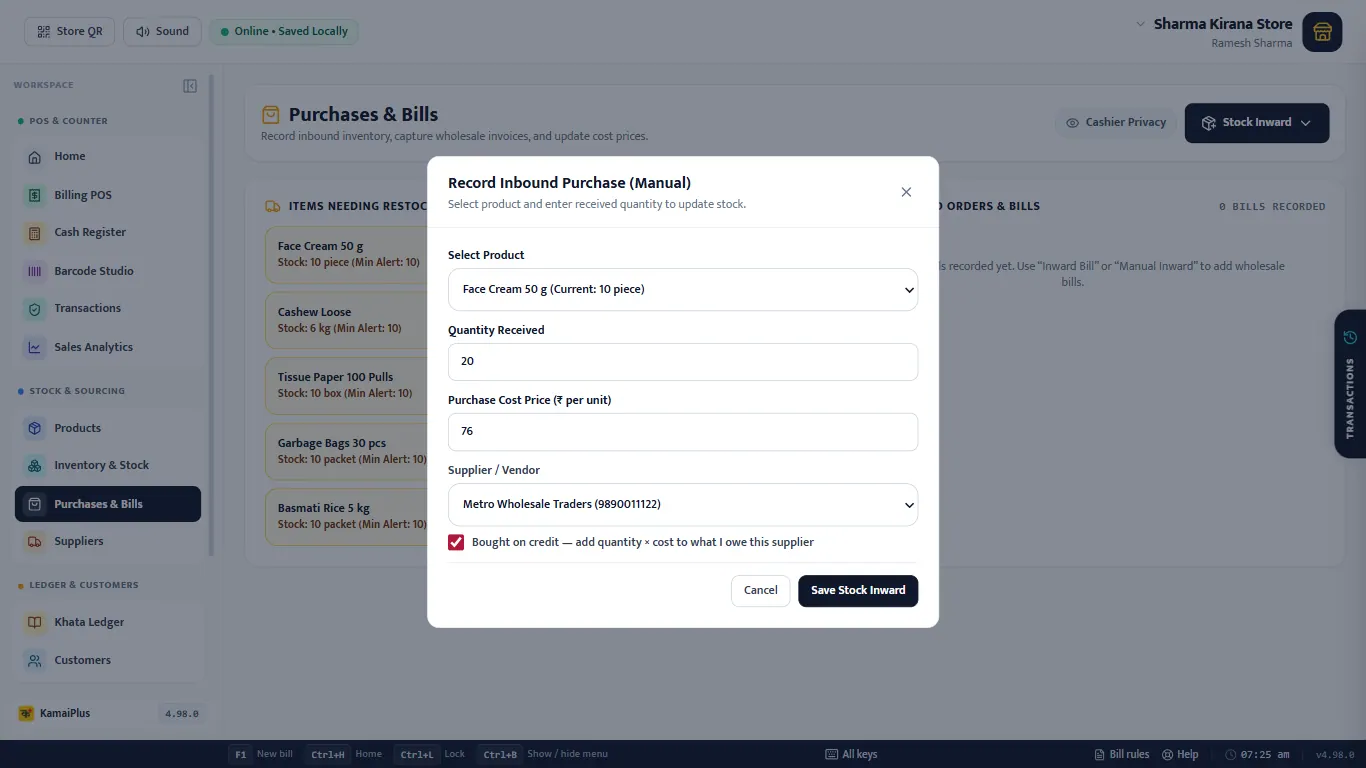
- Select Product: the list shows the current stock of each.
- Quantity Received and Purchase Cost Price (₹ per unit); the cost price on the item is updated.
- Supplier / Vendor, and tick Bought on credit to add quantity × cost to what you owe that supplier.
- Save Stock Inward. The app then offers to print labels for exactly the pieces received.
The supplier's Excel bill
Choose Inward Bill (Excel / CSV) and pick the file. Title rows and a Total row are left out by themselves; each item row is read and matched to your items.
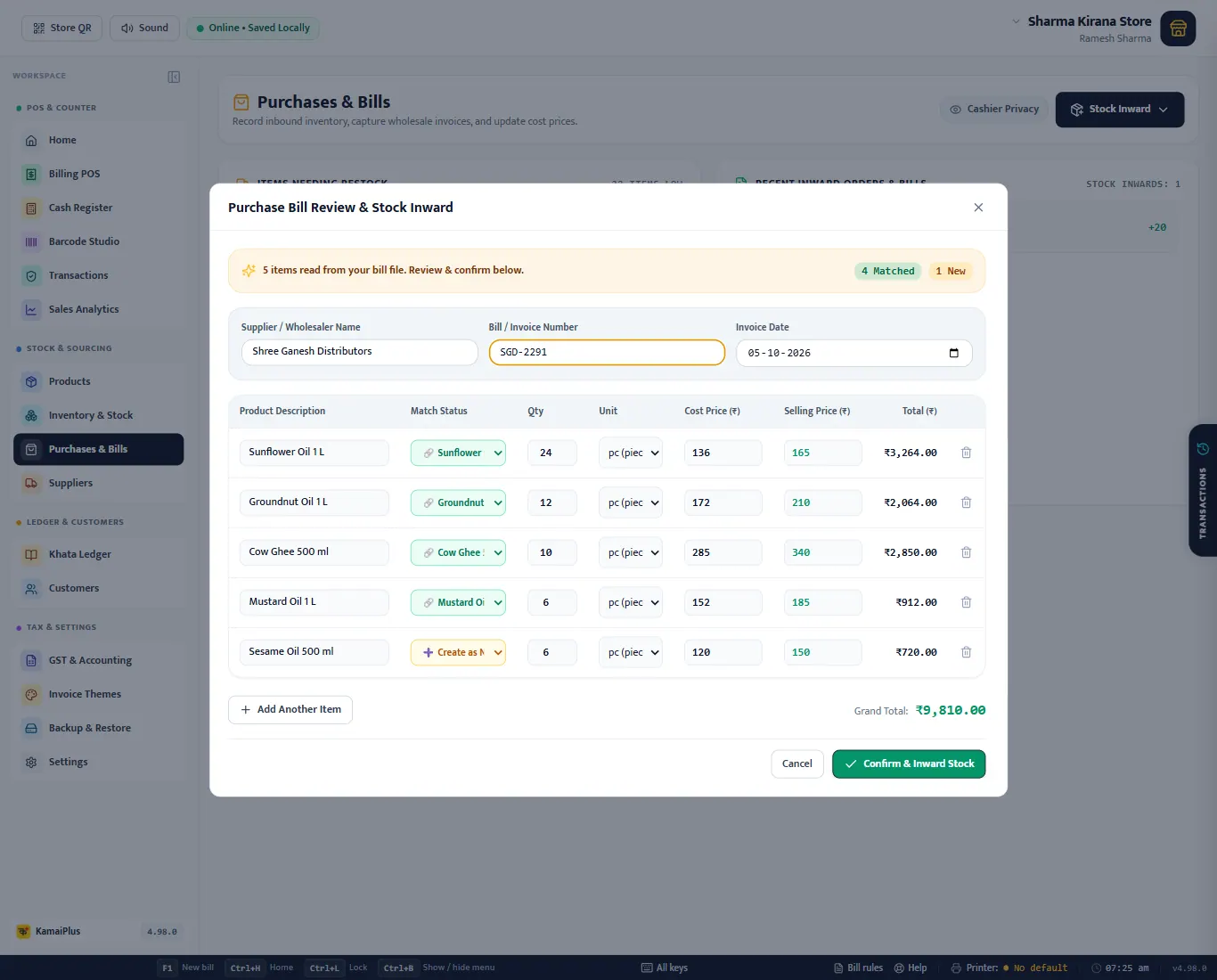
- 1Supplier / Wholesaler Name, 2Bill / Invoice Number and date: type them as on the paper bill.
- 3Match Status: the item each row adds stock to. Check every row. Choose ➕ Create as New Item for goods you do not stock yet.
- 4Here Sesame Oil 500 ml is new, so it is set to Create as New Item.
- 5Qty, unit, cost price and selling price per row; a new item needs a selling price.
- 6Confirm & Inward Stock saves the bill and all its stock in one go.
Look at the matches before you confirm. The app matches by name. Two names that share most words, such as "Sesame Oil 500 ml" and "Coconut Oil 500 ml", can be matched to each other. If the match is wrong, pick the right item or Create as New Item.
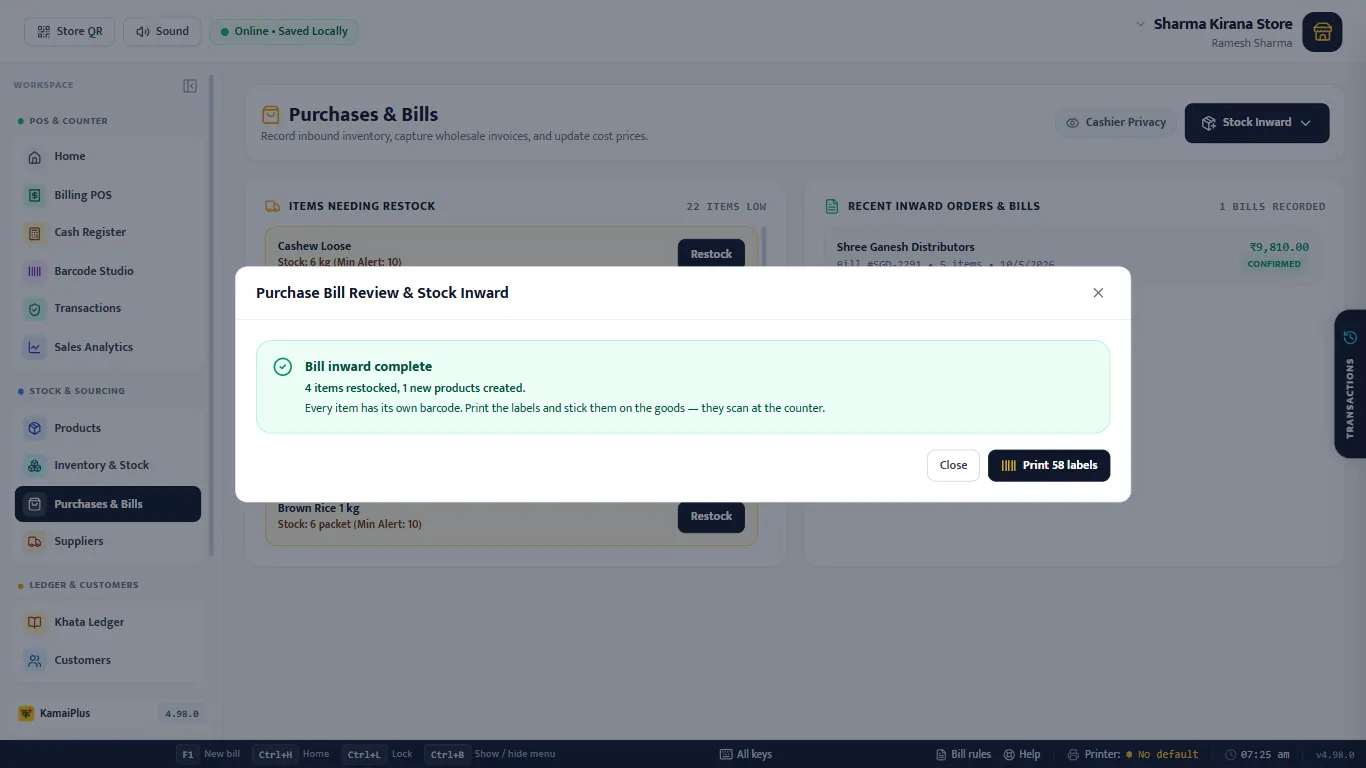
Labels for new stock
Every inward offers labels for exactly what came in, already in Barcode Studio's print list. Stick them on the goods and they scan at the counter. More in Barcode labels and the label printer.