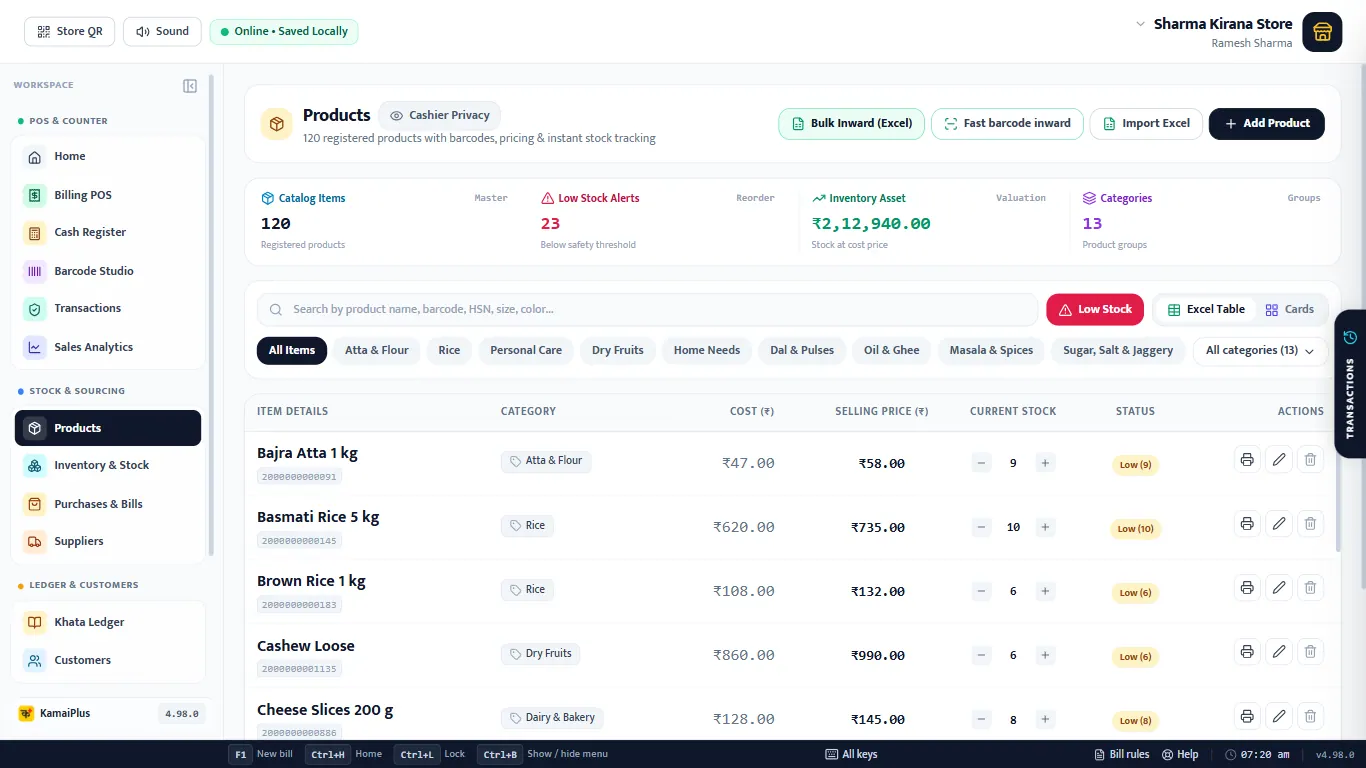
The Products screen
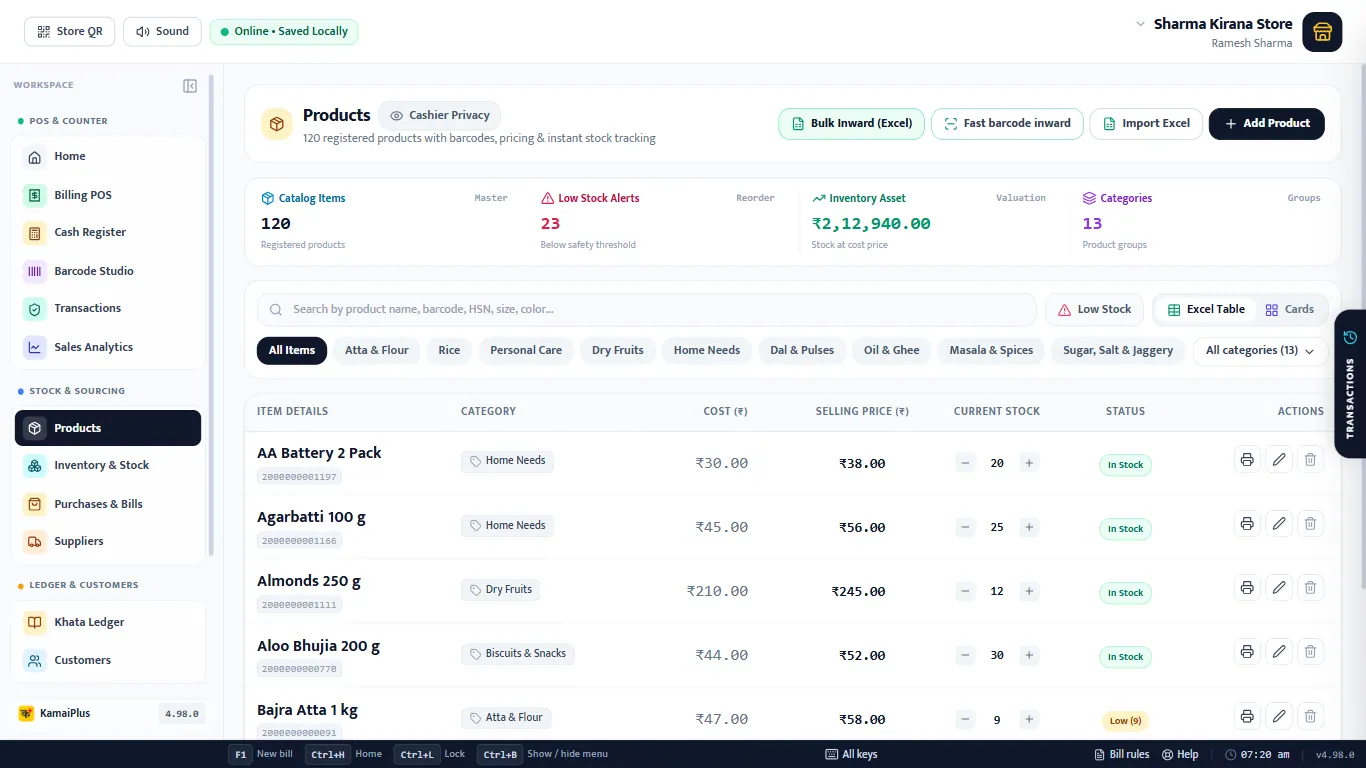
- 1Bulk Inward (Excel), Fast barcode inward and Import Excel: many items at once.
- 2+ Add Product: the form below.
- 3Totals: items, Low Stock Alerts, Inventory Asset (stock at cost price) and categories.
- 4Search by name, barcode, HSN, size or colour.
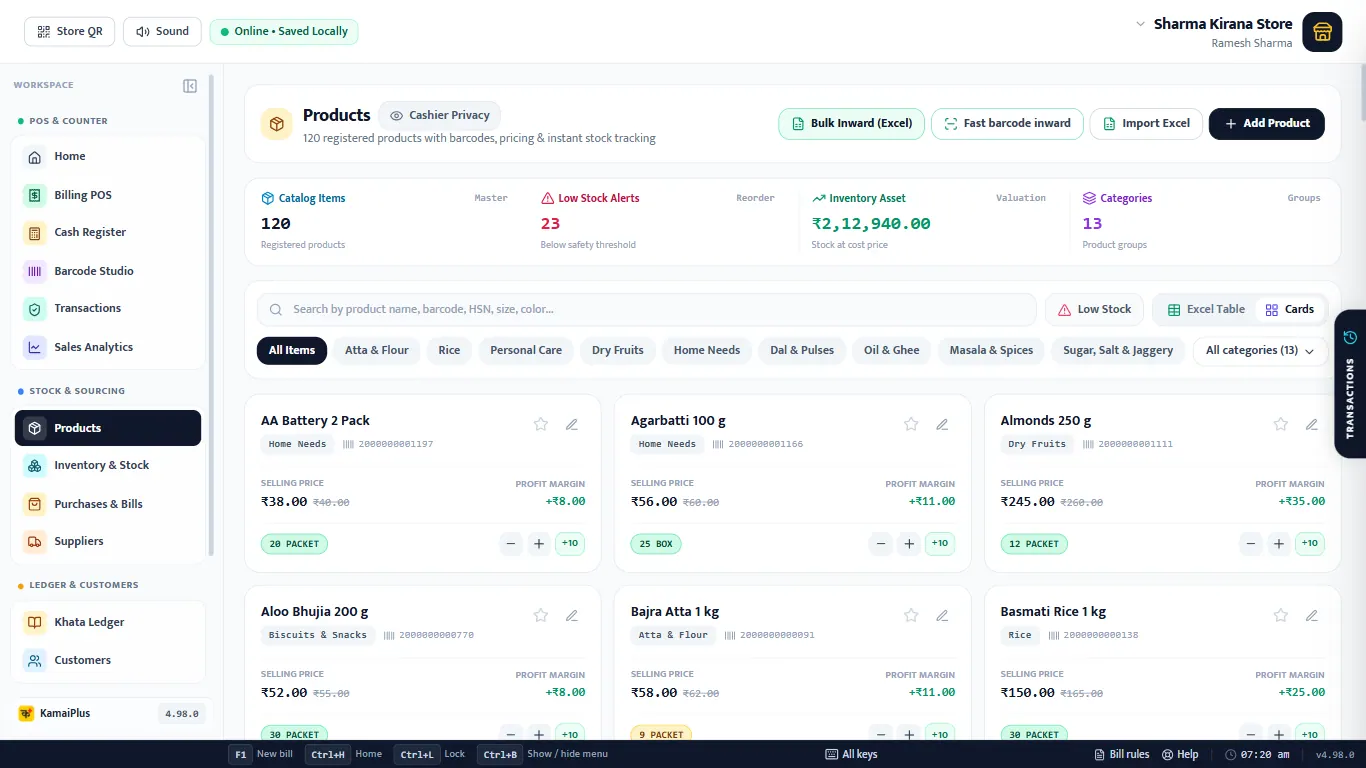
- 5Low Stock filter, and Excel Table or Cards view.
- 6Category chips; All categories opens every one.
- 7Current stock with − and + right in the list.
- 8🖨 one label, ✏️ edit, 🗑 delete.
The item form, field by field
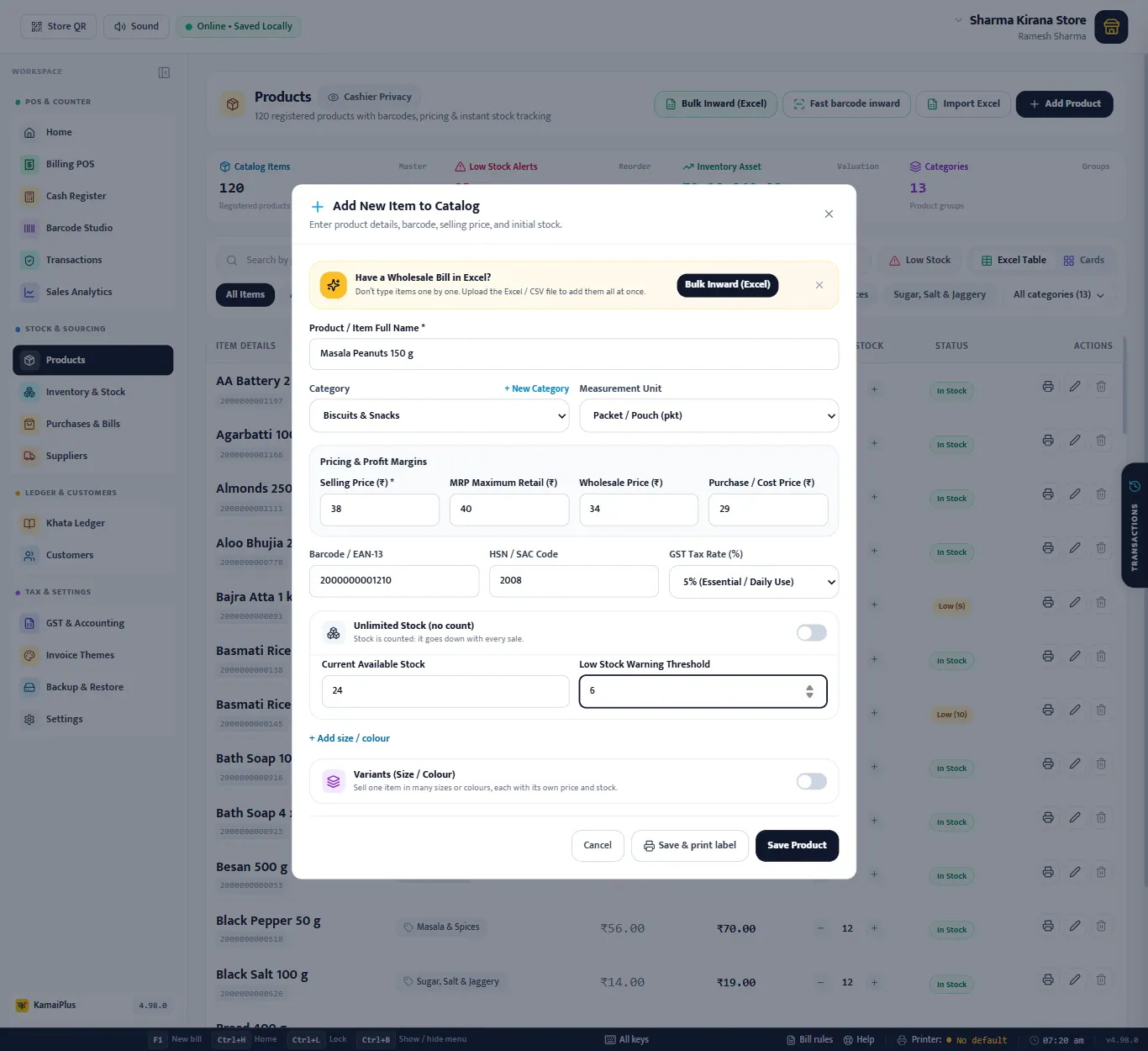
Click + Add Product. The example is a new item for the demo shop: Masala Peanuts 150 g.
| Field | What to enter | Example |
|---|---|---|
| 1Product / Item Full Name * | The name as it should print on the bill, with the size. Hindi or Marathi names work too. | Masala Peanuts 150 g |
| 2Category | The section of the shop; used for the chips at the counter and in reports. Blank = General Products. | Biscuits & Snacks |
| 3+ New Category | Make a category without leaving the form. | Namkeen |
| 4Measurement Unit | How it is sold. Decides whether parts are allowed (see Units). | Packet / Pouch (pkt) |
| 5Selling Price (₹) * | The price the counter charges. With Separate Selling Price off, items sell at MRP. | 38 |
| 6MRP Maximum Retail (₹) | Printed on labels, struck through when the selling price is lower. | 40 |
| 7Wholesale Price (₹) | The price when the bill is switched to Wholesale. Blank = same as retail. | 34 |
| 8Purchase / Cost Price (₹) | What you paid. Used for profit and stock value; hidden from staff by Cashier Privacy. | 29 |
| 9Barcode / EAN-13 | Scan the packet's own barcode into the box, or click Generate for a shop code starting with 200. | 2000000001210 |
| 10HSN / SAC Code | From the supplier's bill. Printed on tax invoices and used in the GSTR-1 HSN summary. | 2008 |
| 11GST Tax Rate (%) | See GST rates. | 5% |
| 12Unlimited Stock (no count) | On: never counted, never blocked. Off: the stock boxes appear. | Off |
| 13Current Available Stock | How many you have now. | 24 |
| 14Low Stock Warning Threshold | At or below this, the item shows as Low and joins the reorder list. | 6 |
| 15+ Add size / colour | Size and colour for clothes, shoes and the like. | XL · Navy Blue |
| 16Variants (Size / Colour) | One item in many sizes, each with its own price and stock. See Variants. | Off |
| 17Save & print label · Save Product | Save, and optionally print its barcode label at once. |
Masala Peanuts: cost ₹29, selling ₹38, so the profit is ₹9 a packet. The card view shows it as Profit margin +₹9.00, and Today's Profit on Home adds it up for every packet sold.
Units
| Unit | At the counter | Use for |
|---|---|---|
| Piece, Packet / Pouch, Pair, Set | Whole numbers only. | Soap, biscuit packet, slippers |
| Bottle, Can / Tin, Bag / Sack | Parts allowed. | Half a bag of rice |
| Kilogram, Litre, Meter, Feet, Square Feet | Decimals allowed, with quick chips such as 250g. | Loose sugar, rice, cloth, wire |
| Gram, Millilitre | Counted in grams or ml. | Loose spices |
| Box / Carton, Bundle, Custom | ¼ ½ ¾ chips allowed. | A box sold by the half |
| Dozen | ¼ ½ ¾ dozen, or the number of pieces. | Bananas, eggs |
GST rates
The list has 0% (exempt / nil rated), 3% (gold, silver, jewellery), 5% (essential / daily use), 18% (standard) and 40% (luxury / sin goods), the slabs since 22 September 2025, plus 12% and 28% marked "old slab" for items still billed at an old rate. Check the rate on the supplier's bill or with your CA.
Most food items 5%; milk, curd, paneer, bread and salt 0%; detergents, cleaners, matchboxes, batteries and garbage bags 18%.
Stock and low-stock warning
- A new item starts with Unlimited Stock on, so the counter is never blocked. Switch it off to count.
- With counting on, every sale lowers the stock, every return with Restock and every purchase raises it, and each change is kept in the stock audit trail.
- At or below the warning level the status turns to Low (9) in amber and the item joins the reorder list on Home and in Inventory.
Variants
For one item in many sizes or colours, each with its own price and stock: switch on Variants (Size / Colour) in the form, then tap the presets (S, M, L, XL, 28–42, colours) or type your own and press Add. Each variant row has its selling price, MRP, stock and an optional barcode.
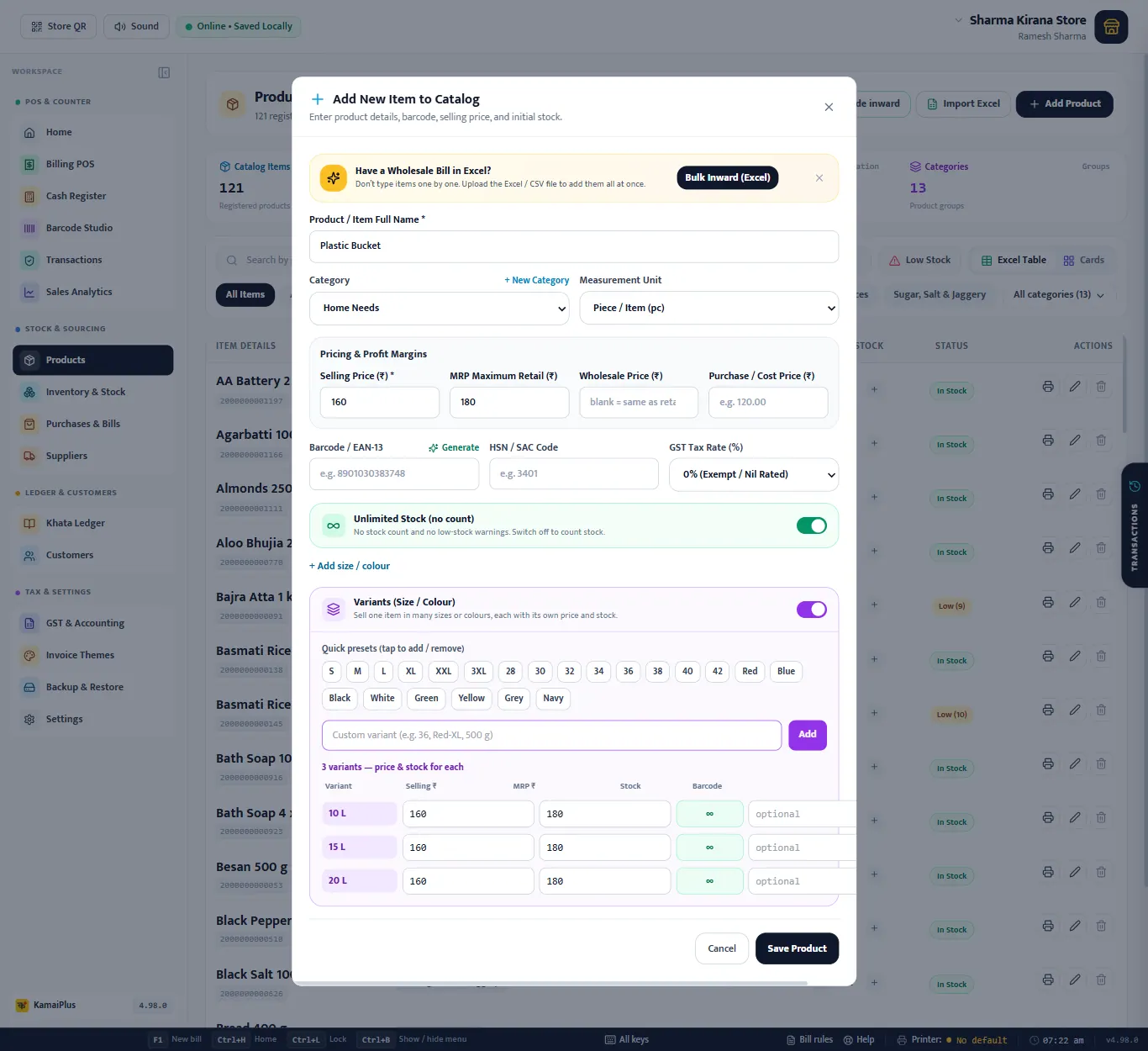
Variants can be added when an item is created. Later, the variants of an item are managed from its row in Products.
Edit, stock +/− and delete
- ✏️ opens the same form as Update Product.
- − and + next to the stock change it by one; each change is logged.
- 🗑 deletes the item after a question. Old bills keep the item's name and price.
Find items
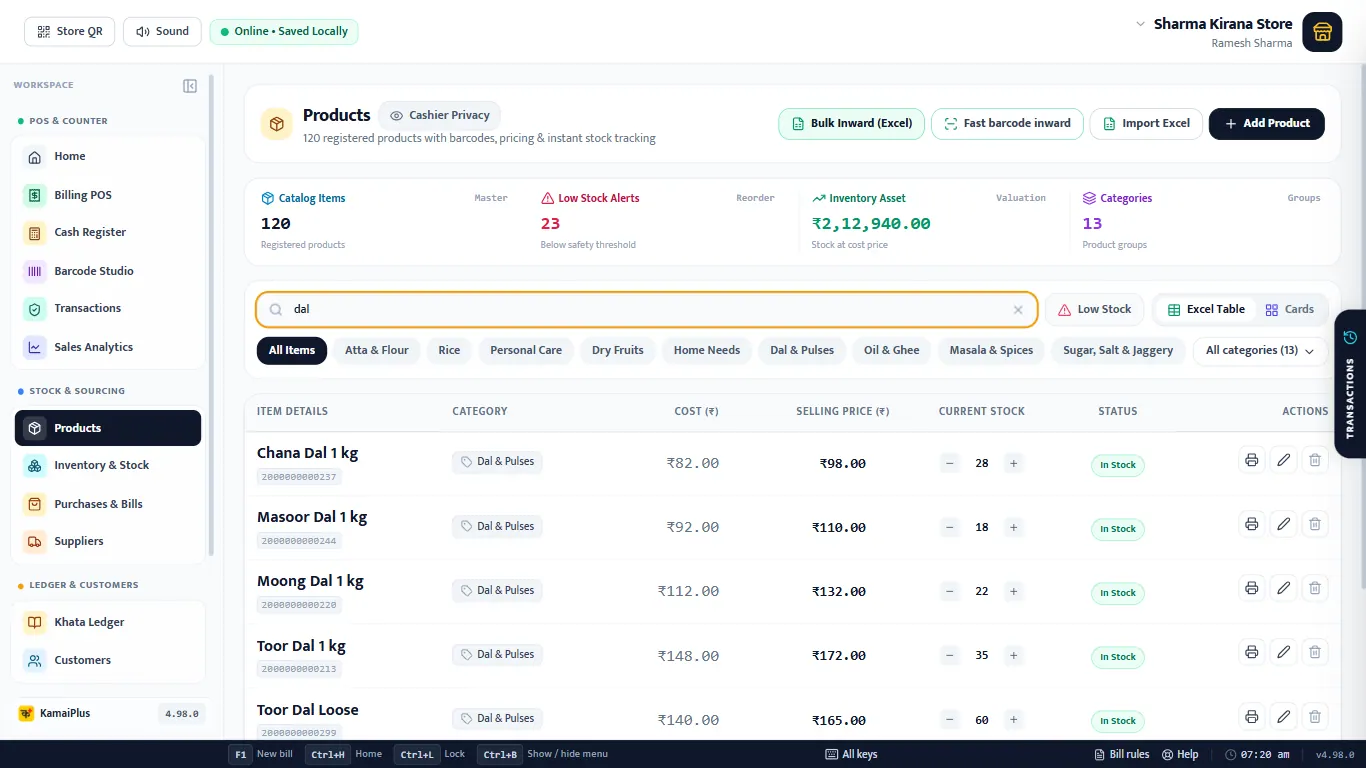
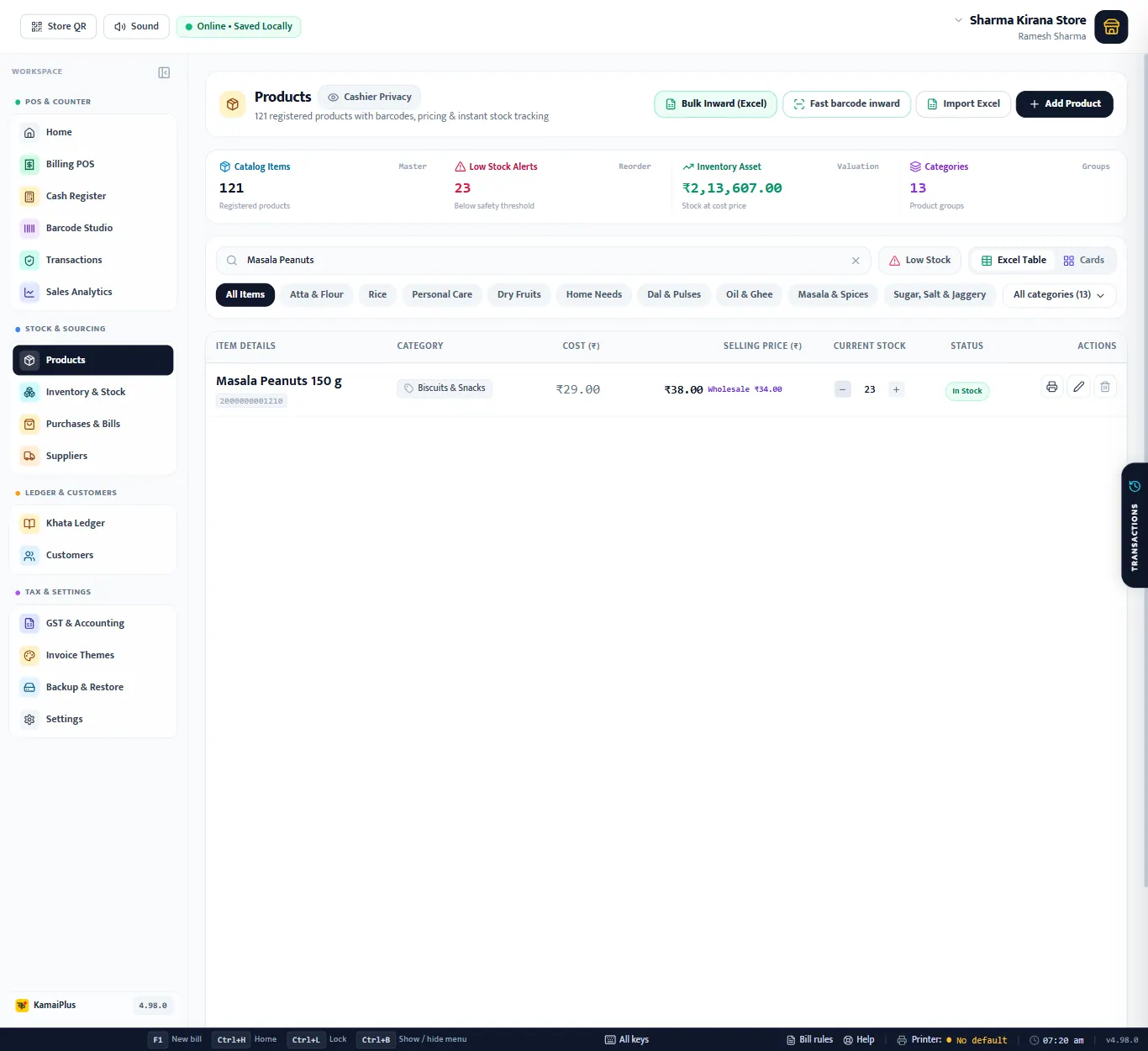
The search reads names, barcodes, HSN, size and colour. dal shows every dal; 0713 every item with that HSN. Typing in English finds Hindi and Marathi names too.